

When someone lands on your website, their experience begins instantly. Every click, scroll, and interaction shapes whether they stay, explore, or leave. User experience, often called UX, is about creating a smooth journey that helps people achieve their goals without confusion or frustration.
It goes beyond appearances and focuses on how a site works in real life. Can visitors find what they need quickly? Is the navigation clear? Does the site feel fast and reliable on every device? A beautiful design might impress at first, but without thoughtful UX it rarely converts visitors into customers. Businesses that invest in UX often see higher engagement, more trust, and stronger results.
In this article, our web design team will explore the role of UX in web design, why it is essential for modern websites, and practical steps you can take to create user journeys that deliver impact and great results.
What UX Means in Web Design
User experience covers the overall journey a person has when interacting with a website. It is not limited to aesthetics or layout. Instead, it looks at how easily someone can find information, how clear the navigation feels, how quickly pages load, and how well the site adapts across devices.
The goal is to reduce friction. A visitor should be able to achieve what they came to do without confusion or frustration. Whether that is buying a product, booking a service, or learning more about a company, UX design makes the process seamless.
Why UX Matters for All Businesses
The importance of UX is backed by research. Studies have found that a well-designed user interface can increase conversion rates by up to 200%, while better UX design overall can raise them by as much as 400%.
For small businesses, this means that investing in UX is not just a matter of design preference. It is a measurable way to improve sales, leads, and customer satisfaction.
Other benefits include:
- Lower bounce rates due to easier navigation
- Increased time on site through engaging content layouts
- Higher trust levels thanks to professional, user-friendly design
- Improved accessibility, ensuring inclusivity for all users
Key Principles of UX Design
Designing a website with strong user experience requires more than visual appeal. It involves applying principles that make a site easy to use, intuitive, and enjoyable. Let’s explore the five core principles of UX design and how they can be applied in practical ways.
1. Clarity and Simplicity
Visitors should never feel lost or overwhelmed when using a website. Clear navigation, concise headings, and well-structured content guide people smoothly through the site. Clarity reduces what designers call “cognitive load,” the effort required to understand information.
For example, an ecommerce website should place its search bar at the top of every page, use clear product categories like “Women’s Shoes” or “Kitchen Appliances,” and write product descriptions that focus on the essentials rather than jargon. Simple design choices like plenty of white space, bullet points, and scannable sections make it easier for users to absorb information quickly. When visitors know where to go and what to expect, they are far more likely to complete their journey.
2. Consistency
Consistency helps users feel at ease because they do not need to relearn how a site works at every step. From colours and typography to button styles and page layouts, consistency builds familiarity and trust.
Think about how large platforms like Amazon or Airbnb use consistent icons and layouts across their pages. A user who clicks “Book Now” on one listing can expect the same process on every other listing. For smaller businesses, this might mean ensuring all buttons look the same, all headings follow a clear style, and brand colours are used consistently across the site. Even microinteractions, such as hover effects on buttons, should remain predictable. This repetition reduces confusion and creates a smoother journey.
3. Responsiveness
With mobile traffic accounting for more than half of global web use, responsive design is essential. A responsive site automatically adapts to different screen sizes, ensuring that users on a smartphone, tablet, or desktop all enjoy a smooth experience.
Practical examples include menus that collapse into a mobile-friendly “hamburger” icon, text that resizes without breaking layouts, and images that scale without losing quality. An online restaurant booking system, for instance, should make it just as easy to reserve a table on a phone while travelling as on a desktop at home. Without responsiveness, businesses risk losing visitors who abandon the site out of frustration.
4. Accessibility
A truly user-focused website must be inclusive. Accessibility ensures that people with disabilities can navigate and use a site effectively. This involves more than simply ticking compliance boxes—it is about creating equal access for all users.
Practical accessibility features include alt text descriptions for images so screen readers can describe visuals to visually impaired users, strong colour contrast so text remains legible, and keyboard navigation for those who cannot use a mouse. Adding captions to videos also helps people with hearing impairments. A government website, for example, must meet accessibility standards to ensure all citizens can use it, but the same principles benefit any business that values inclusivity and customer trust.
5. Feedback and Interaction
Every action a user takes should produce a response. This feedback reassures people that the system is working as expected. Without it, users may feel confused or assume something is broken.
Examples include a button changing colour when clicked, a loading animation while a page processes information, or a confirmation message after submitting a form. Ecommerce sites often use progress bars in checkout flows, showing users how many steps remain. These small touches build confidence and reduce frustration.
Feedback also applies to error handling. Instead of vague error messages like “Invalid input,” a form could say, “Please enter your email in the correct format, such as [email protected].” This not only helps users correct mistakes but also keeps them engaged rather than abandoning the task.
UX vs Visual Design
It is tempting to treat UX and visual design as interchangeable. Visual design focuses on aesthetics, while UX goes deeper into functionality and flow. A site may look beautiful but still frustrate users if menus are unclear or checkout steps are too complex.
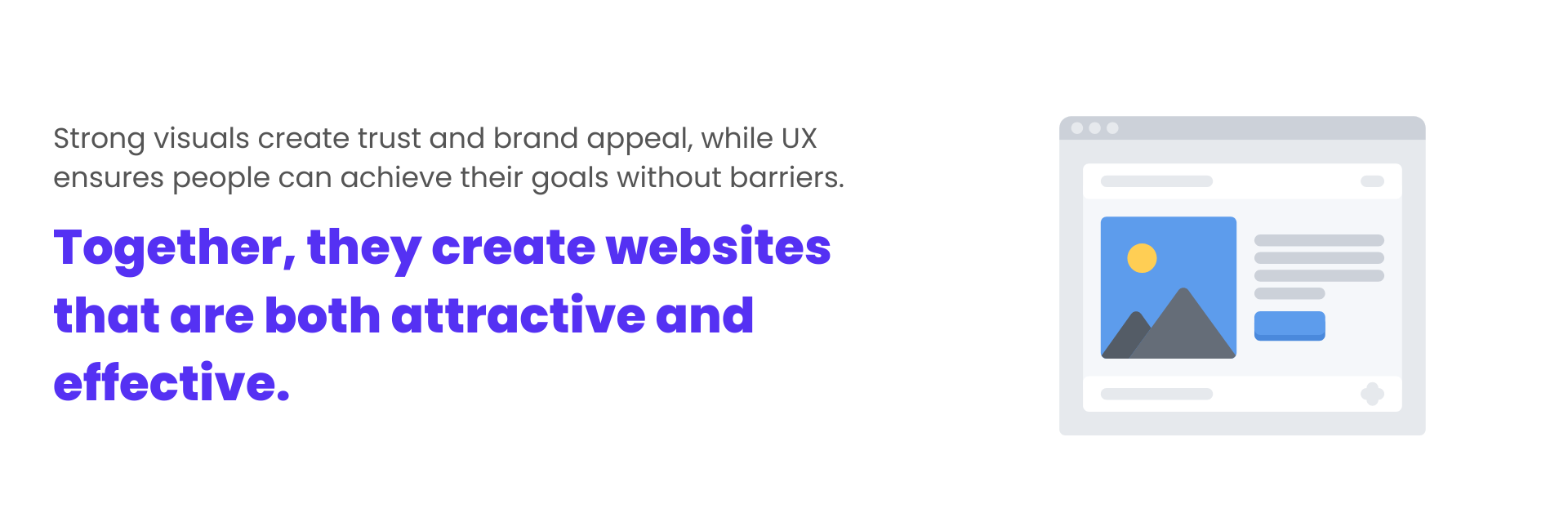
The best web design blends both. Strong visuals create trust and brand appeal, while UX ensures people can achieve their goals without barriers. Together, they create websites that are both attractive and effective.
Mapping the User Journey
Understanding UX requires looking at the user journey from start to finish. This means identifying how visitors arrive, what they want to achieve, and the obstacles they face along the way.
For example:
- A retail website visitor may arrive via Google, search for a product, compare options, add to cart, and complete checkout.
- A service business visitor may land on the homepage, browse case studies, book a consultation, and receive confirmation.
Mapping these paths highlights areas where users might drop off. Businesses can then redesign those points to make the process smoother.
Always Test in UX Design
Designers cannot assume they know what works best. Testing reveals how real users interact with a site. Techniques include:
- Heatmaps to track clicks and scroll depth
- Session recordings to observe user behaviour
- A/B testing to compare design variations
- Surveys for direct feedback
Data-driven insights remove guesswork and show which changes improve performance. UX should be treated as an ongoing process, not a one-time task.
Improve Speed and Performance
No matter how well a site is designed, slow load times can undo everything. Research from Google shows that 53% of mobile users leave a site if it takes longer than three seconds to load.
Optimisation steps include compressing images, using efficient code, and leveraging content delivery networks. Faster sites create smoother user journeys and higher conversion rates.
Deliver Emotional Connection and Trust
UX is not only functional but also emotional. A clean, professional design signals credibility. Positive microinteractions, such as friendly confirmation messages, make the experience feel personal.
Trust elements like secure payment icons, testimonials, and clear contact details also strengthen confidence. These subtle touches can determine whether a user completes a transaction or abandons it.
Practical UX Improvements for Any Website
- Simplify menus to focus on top-level categories.
- Use descriptive CTAs such as “Book Your Free Consultation” instead of generic labels.
- Ensure forms only ask for essential information.
- Add breadcrumbs for easier navigation.
- Place key content above the fold where users see it first.
- Test mobile layouts thoroughly on different devices.
- Provide live chat or easy contact options.
These practical adjustments help reduce friction and create a smoother experience for visitors.
The Future of UX in Web Design
UX continues to evolve with technology and user behaviour. Trends such as voice search, AI-driven personalisation, and inclusive design standards will shape how websites are built in the coming years.
For businesses, the message is clear. Investing in UX is investing in customer relationships. Websites that are usable, responsive, and inclusive will always outperform those that focus only on appearances.
Get Web Design That Works
UX is no longer a nice-to-have feature. It is the foundation of effective web design. By focusing on clarity, consistency, responsiveness, accessibility, and trust, businesses can create websites that not only look good but also deliver real results.
For small businesses and larger organisations alike, improving UX translates directly into happier visitors, stronger engagement, and higher conversions. Treat your website as a living system, test it regularly, and refine based on real user feedback. In the end, designing for humans is what defines digital success.
No matter what industry you’re in, your website is often the first impression customers have of your business. At Digital Freak in Melbourne, we make sure it counts. We create websites that are tailored, affordable, and designed to deliver results. From simple one-page sites to full ecommerce solutions, we build with both beauty and performance in mind. If your business is ready for a website that drives growth, get your free strategy call with Digital Freak about your project today.
FAQs
What role does mobile responsiveness play in UX?
With more than half of global web traffic coming from mobile, responsive design is vital. A mobile-friendly website ensures menus, images, and content adapt to smaller screens without losing usability. Poor mobile UX causes frustration and lost opportunities. At Digital Freak, we design responsive websites for businesses in all industries, ensuring your site performs perfectly on every device. Want to capture more mobile visitors? Book a free strategy call with our team today.
What tools can help measure UX performance?
Tools like Google Analytics, Hotjar, and session recording software provide insights into user behaviour. Metrics such as bounce rate, time on page, and conversion paths highlight where UX can improve. At Digital Freak, we combine analytics with hands-on testing to recommend practical solutions. If you’re unsure how to measure your site’s performance, we can do the heavy lifting for you. Get a free strategy call today and get expert guidance.
How do I know if my website has poor UX?
Signs of poor UX include high bounce rates, low conversions, slow load times, and customer complaints about usability. Confusing menus or broken links are other red flags. At Digital Freak, we run full website audits to identify problem areas and offer practical, affordable solutions that improve performance. If you’re unsure how your website stacks up, let us take a look. Book a free strategy call today to get expert insights into your site, or check out our results for yourself.
Can UX improvements really increase online sales?
Yes, UX improvements often lead directly to higher sales. For example, simplifying a checkout process or making forms more user-friendly reduces abandonment and boosts conversion rates. Studies show that better UX can increase conversions by up to 400 percent. At Digital Freak, we design websites with both users and business goals in mind. Our websites look professional and drive measurable results. Want to boost your sales through UX? Book a free strategy call with us.

When clients work with me, they get exactly what they want - no-nonsense, authentic digital marketing that works! With my industry experience, eye for detail, and a team that goes the extra mile, every client gets the personalised, expert treatment they deserve. Let’s get you online – and growing!