

Small businesses often use several digital tools to manage leads, track results, and communicate with customers. These tools work well on their own, but many small businesses miss the benefits of connecting everything into a single funnel. When your CRM solution links smoothly with your ads, email platform, website forms, and landing pages, you gain clearer data, stronger follow-up, and a more reliable pipeline.
Many studies highlight this. Salesforce research found that businesses with integrated systems saw major improvements across marketing and sales productivity. HubSpot’s annual State of Marketing Report continues to show that integrated CRM data improves conversion rates and lowers acquisition costs. Even Google’s own advertising resources emphasise that high quality first party data increases ad performance and improves audience targeting.
A connected funnel is not a luxury. It is a practical system that helps you understand where leads come from, respond quickly, personalise your messaging, and reduce manual work. This guide explores how to integrate your CRM with your ads, email tools, website, and landing pages so you can build a steady, automated funnel that supports growth throughout 2026.
Why CRM Integration Matters for Small Businesses
A CRM works best when it becomes the centre of your marketing. Instead of storing scattered lists, outdated spreadsheets, or incomplete lead details, a connected CRM provides a single place to see everything. When all your data flows into one system, you gain several advantages.
You understand where leads come from.
Attribution becomes clearer when your CRM receives data from ads, website forms, social platforms, and email tools.
You reduce delays in follow-up.
Automated workflows help you respond to leads immediately. Research from Velocify found that contacting a lead within one minute increases the chance of conversion.
You improve segmentation.
Integrated CRM systems track interests, actions, and engagement so you can personalise your communication.
You cut repetitive work.
Automation handles admin tasks, freeing your team to focus on real conversations, sales, and customer service.
You track results accurately.
Performance data becomes easier to understand because you can link outcomes directly to specific campaigns.
A connected CRM supports stronger lead quality, consistent follow-up, and reliable growth.

Step 1: Connect Your Website Forms and Landing Pages to Your CRM
Your website plays a central role in your funnel. It captures interest, answers questions, and encourages people to take the next step. When your forms connect directly to your CRM, you avoid the problems that come with manual data entry, lost leads, or incomplete information.
Use embedded or native CRM forms
Instead of third party widgets, use forms built directly within your CRM whenever possible. These forms send data instantly into the system with accurate tagging and tracking.
Add hidden fields for source tracking
Hidden fields capture details such as the page where the form was submitted, the campaign that led the visitor there, and the device they used. This information helps you understand which pages convert and where to refine your marketing.
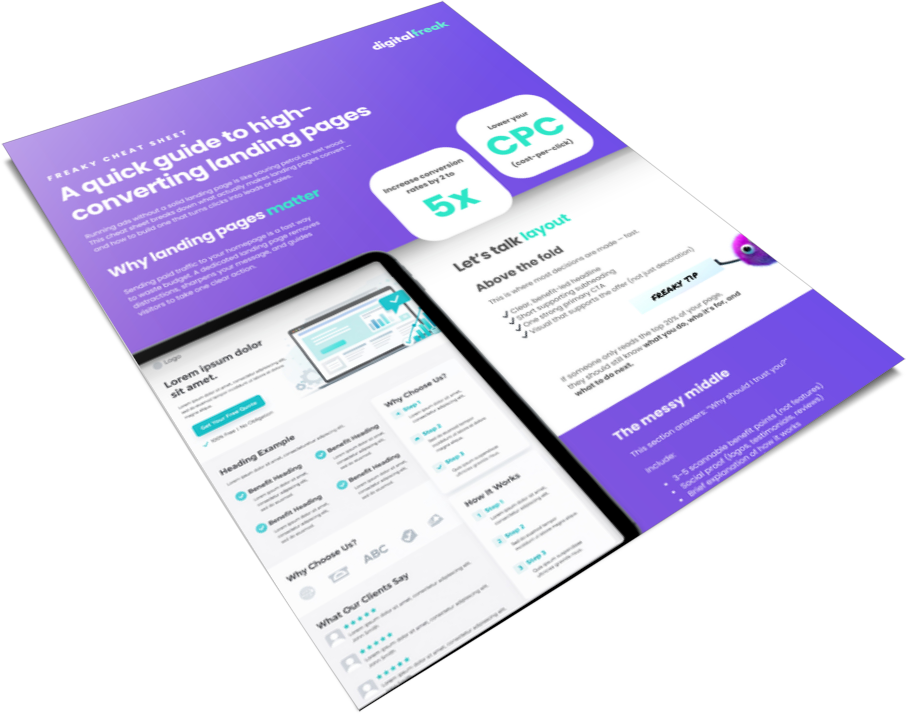
Build dedicated landing pages for campaigns
Landing pages make it easier to connect your ads to your CRM. They limit distractions and focus visitors on one action. Platforms like HubSpot, WordPress, Unbounce, and Webflow all integrate with major CRM systems.
When your website and landing pages send complete data directly into your CRM, you start your funnel with strong, clean information.
Step 2: Sync Your Google Ads and Meta Ads With Your CRM
Google Ads bring targeted traffic to your website. When those ads connect to your CRM, you gain clarity about how well they perform and which campaigns bring valuable leads.
Use offline conversion tracking
This feature sends data from your CRM back to Google or Meta so both platforms learn which clicks turn into real leads. Over time, their algorithms optimise for quality instead of volume. Google has reported that advertisers who use first party conversion data see higher conversion rates and lower cost per lead.
Use UTM parameters for attribution
UTM parameters capture the campaign, ad set, keyword, and creative that led to a conversion. When your CRM stores this automatically, you can see which ads deserve more budget.
Sync custom audiences
CRM audiences help platforms target people who engaged with your business. They also help exclude existing customers from acquisition campaigns. This prevents wasted spending and improves accuracy.
Track calls and offline enquiries
Many small businesses receive calls instead of form submissions. Call tracking tools can feed call data directly into your CRM, giving you a fuller picture of performance.
Connecting ads to your CRM strengthens your targeting and ensures your advertising budget goes toward the best performing channels.
Step 3: Integrate Your Email Marketing System
Email marketing is still one of the most reliable ways to nurture leads. When your CRM connects with your email platform and marketing automation solutions, you gain the ability to send relevant messages at the right time.
Send automated sequences based on behaviour
A CRM can trigger email sequences when someone downloads a resource, visits a page, submits a form, or clicks a link. These timely emails help build trust and maintain interest.
Segment your subscribers
Segmentation improves engagement. Divide your list by location, interests, purchase history, or service needs. Studies from Campaign Monitor and Mailchimp show that segmented campaigns achieve significantly higher open and click rates.
Sync unsubscribes and preferences
Integrated systems keep your compliance clean. When someone unsubscribes or updates preferences, the CRM records it across all tools.
Use lead scoring
Lead scoring assigns points based on actions like page visits, email opens, and form submissions. This helps you identify the most engaged people in your funnel and prioritise them.
CRM and email integration helps leads move smoothly from first contact to conversion.
Step 4: Build CRM Workflows That Automate Your Follow-Up
Workflows are the engine of full funnel automation. They help you respond instantly, send personalised messages, and guide leads through your pipeline without manual work.
Trigger workflows from form submissions
When someone submits a form, the CRM can tag them, assign them to a pipeline stage, send a welcome email, or alert your team.
Use branching paths
Branching lets your CRM choose different actions based on behaviour. For example, leads who open an email may receive more detailed content, while leads who do not engage may receive a reminder.
Assign tasks to your team
Automation should support human action, not replace it entirely. Use workflows to create call reminders or follow-up tasks for your sales team.
Use time-based triggers
Spacing your messages over days or weeks helps you stay present without overwhelming the lead.
A well designed workflow improves engagement and helps leads progress at a steady pace.
Step 5: Connect Your CRM to Your Analytics Tools
Data drives all good marketing decisions. When your CRM connects to analytics tools such as Google Analytics 4 and Search Console, you gain a complete picture of your funnel.
Track events across your website
GA4 captures detailed behaviour across pages, forms, and buttons. When this data links to your CRM, you can see which actions predict conversions.
Compare traffic sources
Integrated systems help you track which channels bring the best leads, not just the most clicks.
Review landing page performance
High traffic pages may not convert well. Analytics reveals this so you can refine forms, copy, or layout.
Monitor behaviour patterns
Patterns such as long visit duration or repeated views of a service page often signal high intent.
When your analytics and CRM work together, you make better decisions and allocate your budget more effectively.
Step 6: Improve Lead Quality With Full Funnel Attribution
Attribution links actions across the entire funnel so you can see which touchpoints influence conversions.
Use first party data
First party data comes directly from your CRM and website. It is more accurate and private than third party tracking. Google has emphasised the importance of shifting toward first party data as privacy expectations evolve.
Track multi touch interactions
Many customers interact with several touchpoints before taking action. Attribution models help you understand which steps influence decisions.
Identify weak links in the funnel
If many leads drop off at the same stage, you can make targeted improvements to fix the issue.
Refine your ads and content
Attribution shows which keywords, pages, or campaigns generate high quality leads. You can then focus on these areas for stronger returns.
Understanding these patterns helps you build a smoother, more effective journey.
Step 7: Create a Lead Management System That Works Every Day
Your CRM becomes more powerful when you establish a clear, repeatable lead management process.
Organise your pipeline
Divide your pipeline into simple stages such as new lead, contacted, qualified, and converted. This structure supports better forecasting.
Assign responsibilities
Decide who handles new enquiries, follow-ups, and onboarding. Clear ownership speeds up response time.
Review leads weekly
A short weekly review helps you identify stuck leads, outdated records, or overdue tasks.
Tag and track customer interests
Tags make it easy to personalise future campaigns. They also help you spot trends in customer behaviour.
A consistent system strengthens accuracy and helps your marketing perform at a higher level.

Step 8: Keep Your CRM Clean and Reliable
A connected CRM is only effective when the data inside it remains accurate and organised.
Remove duplicates
Duplicate contacts lead to confused reporting and inconsistent communication.
Update records regularly
Track changes in customer details, preferences, and service needs.
Standardise fields
Use a consistent structure for phone numbers, job types, lead sources, and notes.
Review automations quarterly
Check that workflows still make sense as your business and campaigns evolve.
A clean CRM supports better reporting and more meaningful automation.
A Smarter Way to Grow in 2026
Integrated CRM systems give small businesses the chance to understand their customers more clearly and respond with greater accuracy. When your CRM links smoothly with ads, email, and your website, every action becomes easier to track and improve. You gain a clear view of your funnel, create faster follow-up, and build a stronger flow of qualified leads. If you want expert support building a connected funnel for your business, Digital Freak can help. Book a free strategy call and start building a smarter system today.
FAQs
Why should small businesses integrate their CRM with ads, email, and their website?
Integration creates a single, accurate view of your customer journey. You can see where leads come from, follow up faster, personalise communication, and measure results clearly. A connected CRM removes guesswork and makes your marketing more reliable. Digital Freak helps Melbourne small businesses set up complete CRM integrations that improve performance. Book a free marketing strategy call if you want support getting everything connected.
How does CRM integration improve Google Ads and Meta Ads performance?
When ad platforms receive accurate conversion data from your CRM, they optimise toward higher quality audiences rather than broad, low-value clicks. Features like offline conversion tracking and synced custom audiences help reduce wasted spend and improve lead quality. Digital Freak can help you connect your CRM with your ad accounts for stronger targeting. Chat to our Melbourne team to learn more.
Do I need a new CRM to build an automated funnel?
Not always. Many existing CRMs can integrate with tools you already use. Start by checking whether your CRM supports native integrations or third-party connectors like Zapier or Make. If your current system cannot automate essential tasks, upgrading may be worthwhile. Digital Freak can review your setup and recommend the right approach for your business. Book a free strategy session.
What should I automate first when connecting my CRM?
Start with automating form submissions, welcome emails, lead assignment, and simple follow-up sequences. These automations ensure that every lead receives timely communication and enters your pipeline accurately. Once these basics run smoothly, you can add segmentation, scoring, and advanced workflows. Digital Freak helps small businesses build automation systems that save time and increase conversions. Get in touch with our Melbourne team to get started.

When clients work with me, they get exactly what they want - no-nonsense, authentic digital marketing that works! With my industry experience, eye for detail, and a team that goes the extra mile, every client gets the personalised, expert treatment they deserve. Let’s get you online – and growing!