
You wouldn’t spend tens of thousands of dollars on a car and expect it to run perfectly for five years without servicing it. Your website works the same way. It runs on software, connects to external services, processes customer data and represents your brand 24 hours a day. Without regular web maintenance, small issues quietly become expensive problems.
Businesses often ask one simple question: how often should we update our website?
The honest answer depends on the platform, plugins and complexity of your site. However, every business can follow a realistic weekly, monthly and quarterly maintenance schedule. Below is a practical framework you can use immediately.
Why Regular Website Updates Matter
Before we break down the schedule, it helps to understand why updates matter.
Most business websites rely on content management systems such as WordPress, plugins, themes and server software. Developers release updates frequently to:
- Fix security vulnerabilities
- Improve performance
- Ensure compatibility with new browser versions
- Patch bugs
- Enhance functionality
Cybersecurity research consistently shows that outdated software is one of the most common entry points for attacks. For small businesses, a hacked website can mean lost revenue, damaged reputation and potential legal risk if customer data is compromised.
Maintenance also affects performance. Slow load speeds and broken functionality reduce conversions. Google’s ranking systems factor in page experience signals such as speed and usability, so neglecting updates can quietly impact your SEO over time.
The solution is not panic updating. The solution is structured, routine maintenance.
Weekly Website Maintenance Tasks
Weekly checks prevent small issues from growing unnoticed.
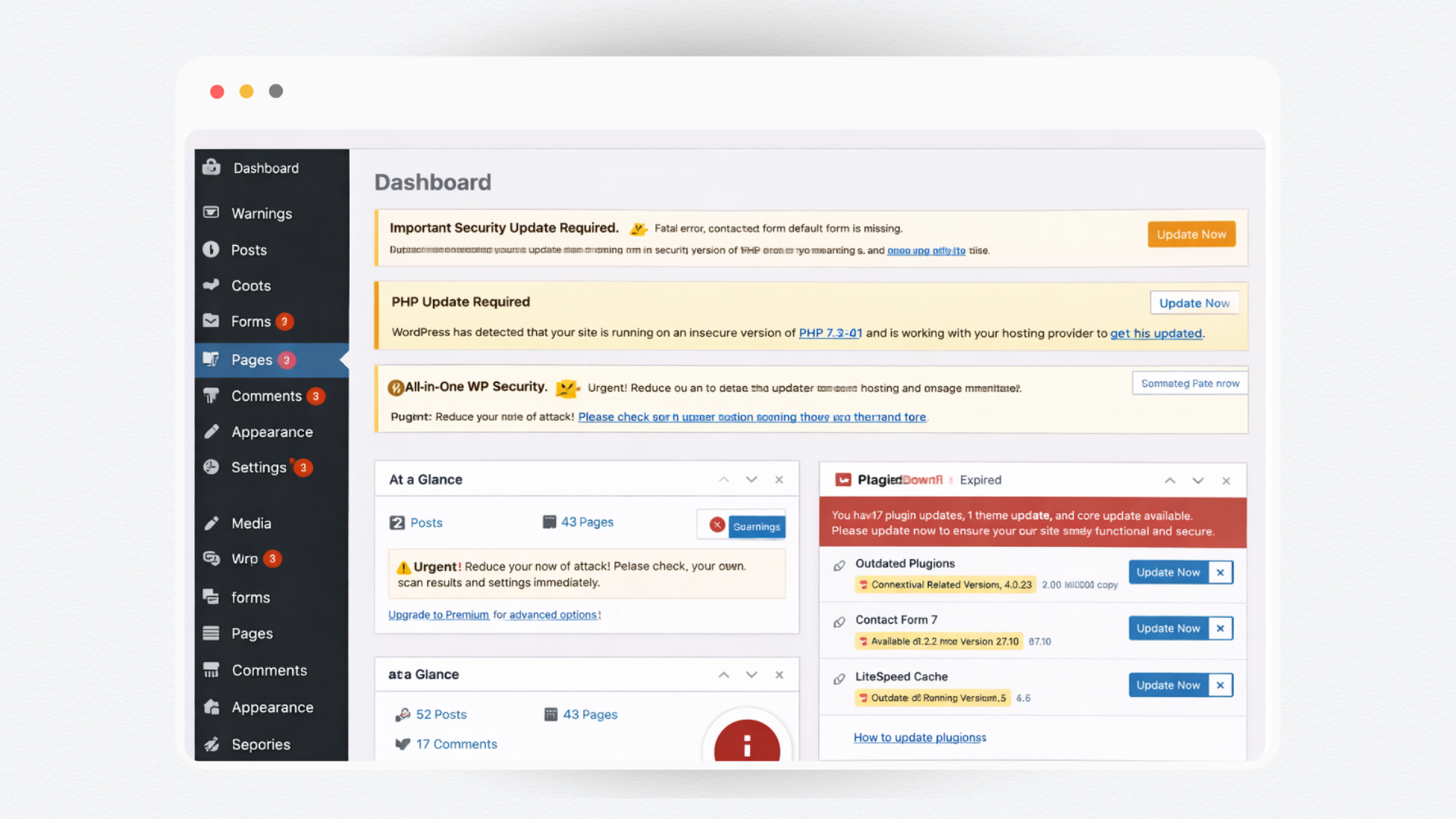
1. Check for Core, Plugin and Theme Updates
Log into your CMS and review available updates. Apply updates carefully and ideally in a staging environment first. If you update directly on a live site, ensure you have a recent backup before proceeding.
2. Confirm Backups Are Working
Automated backups should run at least daily for active business websites. Each week, confirm that backups are completing successfully and are stored offsite. A backup that fails silently is useless when you need it.
3. Review Security Alerts
If you use a security plugin or firewall, check the dashboard for alerts, login attempts or malware warnings. Unusual activity should be investigated immediately.
4. Test Key Website Functions
Manually test important elements such as:
- Contact forms
- Booking systems
- Checkout processes
- Payment gateways
- Email notifications
Do not assume they are working. Test them. Businesses often discover broken forms weeks after enquiries have stopped.
5. Monitor Website Uptime
Downtime can cost sales and affect search visibility. Use an uptime monitoring tool to confirm your site remains accessible. If you notice repeated outages, investigate hosting performance.
Weekly tasks typically take 60 minutes for a small site. Skipping them can cost thousands.
Monthly Website Maintenance Tasks
Monthly maintenance focuses on performance, optimisation and deeper checks.
1. Run a Full Security Scan
Perform a comprehensive malware and vulnerability scan. Review user accounts and remove any that are no longer required. Enforce strong passwords and two factor authentication where possible.
2. Check Website Speed and Performance
Use tools such as Google PageSpeed Insights to assess loading times. Look for:
- Large image files
- Unused plugins
- Render blocking scripts
- Slow server response times
Optimising images, enabling caching and cleaning up unnecessary plugins can significantly improve performance.
3. Review Broken Links
Broken links harm user experience and can impact SEO. Use a link checker tool to scan your site and fix or redirect any broken URLs.
4. Update Content Where Needed
Review key service pages and blog content. Update outdated statistics, pricing or offers. Add new FAQs based on real customer questions. Fresh and accurate content builds trust and supports search visibility.
5. Check Analytics and Conversions
Review your analytics data monthly. Look at:
- Traffic trends
- Bounce rates
- Conversion rates
- Device performance
If traffic drops or conversions decline, investigate. Technical issues can quietly impact performance before you notice revenue changes.
Quarterly Website Maintenance Tasks
Quarterly reviews focus on strategy, structure and long term performance.
1. Audit Plugins and Remove Unnecessary Ones
Over time, websites accumulate plugins. Each additional plugin increases security risk and can slow performance. Every quarter, review installed plugins and remove any that are inactive or redundant.
2. Review Hosting Performance
Assess whether your hosting environment still meets your needs. Increased traffic, new features or ecommerce functionality may require upgraded resources. Slow hosting limits even well optimised websites.
3. Conduct a Technical SEO Health Check
Review:
- XML sitemaps
- Robots.txt configuration
- Indexing status in Google Search Console
- Crawl errors
- Core Web Vitals
Fixing technical SEO issues protects long term rankings and visibility.
4. Test Across Browsers and Devices
New browser versions and operating system updates can affect site display. Test your website across popular browsers and mobile devices to ensure layout, forms and navigation function correctly.
5. Review Compliance and Privacy Requirements
Privacy laws and data regulations evolve. Confirm your privacy policy, cookie notices and data handling practices remain compliant with current Australian regulations.
When Should You Update Immediately?
While routine maintenance follows a schedule, some updates require immediate action:
- Critical security patches
- Hosting level vulnerabilities
- Plugin conflicts causing site errors
- Payment gateway updates
- SSL certificate expiry warnings
Delaying critical security updates increases risk. In these cases, act promptly and carefully.
DIY vs Professional Maintenance
Some small businesses handle updates internally. This can work for simple sites with low traffic and minimal functionality.
However, issues often arise when:
- Updates conflict and break layouts
- Plugin compatibility causes white screen errors
- Backups fail and go unnoticed
- Security breaches require technical cleanup
Professional website maintenance reduces risk significantly. It ensures updates are tested properly, backups are reliable and performance is monitored consistently.
The cost of structured maintenance is far lower than the cost of emergency repairs.
Stop Hoping Your Website Is Fine. Start Knowing It Is.
At Digital Freak, we take website maintenance off your plate and handle it properly. Our web maintenance packages cover updates, backups, security monitoring, performance checks and ongoing support so your site runs smoothly and securely.
You do not need to become a WordPress expert. You need a team that already is.
For a clear breakdown of what is included and how our web maintenance packages work, visit and see how we keep small business websites secure, updated and performing at their best.
Your website works for you every day. Make sure someone is working on it too.

You know how they say content is King? Well, meet the Queen. Engaging and exciting content is what I’m here to create. Whether it’s websites, print, digital, or social graphics – I take your brand’s vision and industry trends and turn them into high-quality content.