
In the world of e-commerce advertising, Google’s Performance Max campaign format offers wide reach. It spans Search, Shopping, Display, YouTube and more. But reach alone isn’t enough. To make a Performance Max campaign effective you need structure, data, strategy and optimisation. Below are best practices tailored for e-commerce businesses.
1. Optimise your product feed
For an e-commerce campaign, your product feed (via Google Merchant Center) is foundational. Several expert sources stress that neglecting feed quality reduces campaign effectiveness.
Key elements:
- Ensure your titles are clear, searchable, include key product descriptors (brand, model, variant).
- Ensure correct GTIN/UPC/MPN, correct category and product types. These metadata elements guide ad delivery.
- Mark high-margin products or use custom labels to segment profitable vs less profitable items. That enables you to set different ROAS/CPA targets.
- Exclude or de-prioritise low-performing or low-margin items to avoid budgets being eaten by poor return.
A well-structured feed is like giving the campaign good raw material to work with. Without it, the algorithm struggles.
2. Structure your campaigns logically
One mistake is to lump all products into one Performance Max campaign. That removes nuanced control and can hide weak performance. Instead segment logically.
For example:
- Create separate campaigns (or asset groups within campaigns) for high-margin items vs lower margin.
- Segment by product theme or category (e.g., seasonal goods, new arrivals, clearance). Grouping by theme allows your messaging & creative to align.
- Use an asset group per product theme. A campaign might contain multiple asset groups each with different creative and feed subset. This gives more control and better insight.
Also be aware of the “black sweater problem” as one expert puts it. That’s where one best-seller dominates your campaign and suffocates other products. By segmenting, you allow each group room to breathe.
3. Provide rich creative assets
Since Performance Max spans many channels, you need to supply a variety of creative formats and a content strategy. Google recommends using multiple headlines, descriptions, images and at least one video for best results.
Best practice checklist:
- At least 20 text assets (for example 15 headlines, 5 descriptions) plus 7 images (square, landscape, portrait) and 1 video.
- Provide a mix of product-only images and lifestyle images (showing the product in use) so that you appeal both to intent and emotion.
- Keep copy clear and direct to highlight unique selling points (“Free shipping”, “30-day returns”, etc). Avoid fluff.
- Make sure the creative onboard aligns with your product feed. Misalignment (e.g., creative showing product A, feed referencing product B) can confuse the algorithm.
4. Provide audience signals & first-party data
While Performance Max uses Google’s automation heavily, you still give it a good head start with audience signals. By supplying lists of past purchasers, site visitors, high-value customers, you guide the system into the right direction.
Practical steps:
- Upload your customer list via Customer Match.
- Use remarketing lists for visitors who showed interest but did not purchase.
- Use custom intent segments or similar audiences if available.
- If your purpose is new customer acquisition, enable that setting carefully and ensure your lists are accurate.
5. Set realistic budget and run-in period
Automated campaigns need data to learn. If you set the budget too low or expect immediate results, you risk under-performance. Google’s own guidance advises a ramp-up of six weeks or more for sufficient learning.
Our guidance:
- Ensure your budget is sufficient to generate meaningful conversions (depending on your business, maybe 30+ conversions per month). A low budget with few conversions gives the algorithm little to work with.
- Resist major changes (bid, budget, assets) during the learning phase unless performance is clearly broken.
- Monitor weekly but allow the machine learning to stabilise before making sweeping decisions.
6. Monitor performance, but understand limitations
Performance Max affords broad reach but sacrifices some transparency. You cannot always see precisely which keywords triggered an ad or which placement caused the conversion.
So:
- Use available asset-group level performance data: which assets performed, which products did better.
- Use Google Analytics and segmentation to infer where users came from and how they behaved.
- Use placement exclusions or account-level negative keywords if you find irrelevant traffic creeping in (note: certain negative keyword capabilities are limited).
7. Exclude branded queries and avoid overlap
If your brand already runs strong search campaigns on branded terms, you may want to prevent your Performance Max campaign from overlapping or cannibalising those searches. Overlap can skew performance data.
Actionable steps:
- Use negative keyword lists for branded terms (if supported) or ask your Google rep.
- Alternatively, run a separate campaign for branded traffic and focus Performance Max on non-branded or discovery segments.
- Ensure budgets and ROAS targets align with the distinct campaign objectives.

8. Optimise bidding and ROAS/CPA targets
How you bid matters. If you go in with a rigid target ROAS before the campaign has sufficient data, you may hinder performance. Reddit PPC practitioners advise starting with maximising conversions or conversion value first, then introducing targets.
Our guidance:
- If you have limited historical data for a product category, start with maximise conversion value and let the system learn.
- Once stable and you have performance data, switch to target ROAS (if profit margin supports done).
- Adjust targets only when you have reliable performance (e.g., past 30-90 days of data).
- Keep in mind profit margin variances: high-margin items can tolerate lower ROAS targets than low-margin items. This loops back to segmentation.
9. Review asset-group and feed performance and make changes
Once the campaign is running and stabilised, you shift into maintenance and optimisation mode. Key checks include:
- Which asset groups lead to conversions and which lag? Consider moving poorly performing ones into separate campaign or turn off. (As expert commentary suggests).
- Which products are taking the bulk of budget (best sellers) and is that skew desirable? If one product dominates and eats budget, consider separating and bidding differently.
- Review your feed for changes in stock, margin changes, seasonality. If a product becomes out of stock or margin drops, exclude or adjust.
- Refresh your creative periodically, especially if you are running seasonal products or if performance begins to drop.
- Monitor for wasted spend. Look at placements, audience segments, creative combinations that underperform; exclude or change.
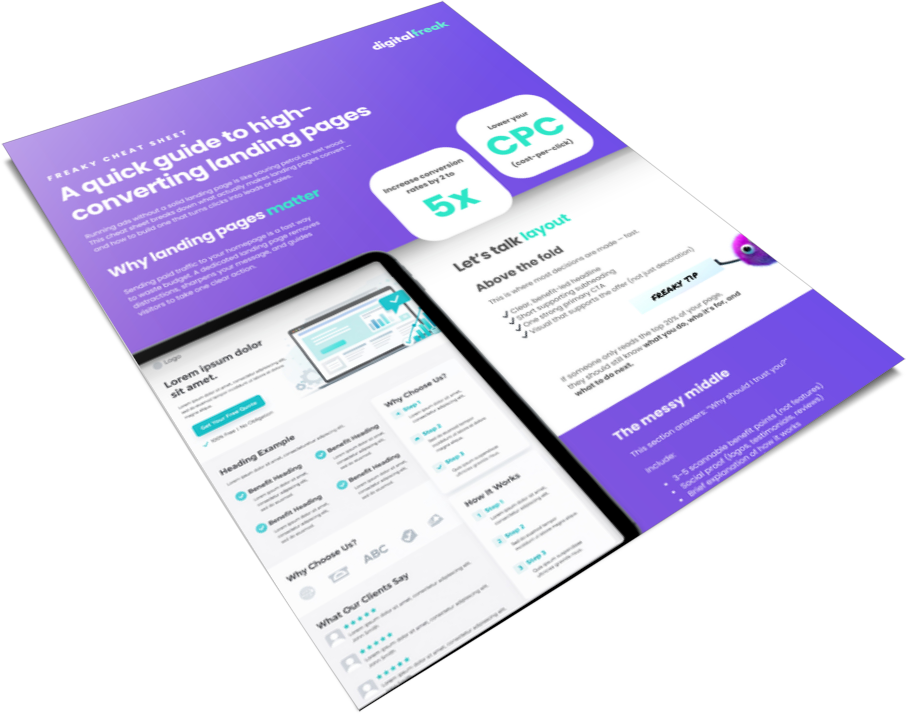
10. Optimise your landing pages for conversions
Once users click through from your ad, your landing page determines whether they buy or bounce. Focus on:
- Page speed and mobile responsiveness. A slow or clunky site kills conversions.
- Clear, relevant product information that matches your ad message.
- Visible trust signals such as reviews, payment security icons, and return policies.
- Prominent calls to action and minimal distractions during checkout.
- Regular testing of page layouts and copy to identify what drives higher conversion rates.
Google’s algorithms reward seamless user experiences, so better pages can directly improve ad visibility and cost efficiency.
11. Use custom labels to prioritise product profitability
Custom labels help you group products in your Merchant Center feed for more strategic bidding. Review and update regularly:
- Segment products by profit margin, seasonality, stock level, or performance.
- Assign higher budgets to profitable or top-performing items.
- Create lower-priority campaigns for clearance or experimental lines.
- Adjust ROAS or CPA targets by label for better cost control.
- Use performance data to refine labels over time.
Adding profit-based logic to your feed allows you to invest budget where it delivers the best return.
12. Account for seasonality and promotions
E-commerce businesses typically face seasonal peaks, stock clearances and special promotions. Your PMax campaigns must account for that.
- Ahead of a major sale, ensure your feed, assets and campaign structure reflect the promotion (e.g., “Black Friday deals”, “Cyber Monday clearance”).
- Adjust budget and ROAS targets during the event but allow learning time after adjustments.
- Post-promotion, review how your campaign performed and whether any changes are needed for follow-up phase.
- Consider separate asset groups for promotional versus regular inventory, to avoid mixing fundamentally different goals.
13. Deal with transparency and trust issues
Given the “black box” nature of Performance Max, building internal trust is important. Stakeholders will ask: where is my money going? what keywords triggered ads? While you cannot always answer all queries, you can provide meaningful insight.
- Use asset-group and product-level data to show performance shifts.
- Use Google Analytics to show behaviour for traffic derived from PMax (use UTM tagging or segment by campaign).
- Present incremental metric analysis: Did PMax bring new customers, new geographies, or new product categories? This kind of story helps build confidence.
14. Enable enhanced conversions for more accurate tracking
Enhanced conversions improve attribution accuracy by connecting hashed first-party data to ad interactions. Implement and monitor:
- Enable enhanced conversions in Google Ads and connect checkout or lead forms.
- Use privacy-safe hashing for customer emails or phone numbers.
- Verify setup using Tag Manager or your site’s conversion tags.
- Compare reported conversions before and after enabling to confirm accuracy gains.
- Integrate with your CRM to close the loop between online and offline sales.
More accurate tracking helps Google’s bidding algorithm make better decisions, leading to improved performance and smarter optimisation.
15. Leverage product exclusions strategically
Keeping your campaigns focused on profitable items prevents wasted spend. Regularly review your feed and exclude:
- Out-of-stock products or items with low stock volume.
- Low-margin or unprofitable SKUs that inflate costs.
- Products with poor reviews or low conversion rates.
- Duplicate or variant listings that compete with one another.
- Seasonal items that are no longer relevant.
Setting up automated exclusions or Merchant Center rules keeps your budget directed toward high-performing inventory.
16. Use store sales tracking if you have physical outlets
If your business sells online and in-store, connect offline data to measure the true value of your ads. Check that:
- You’ve enabled store sales tracking in Google Ads and linked your CRM or POS system.
- In-store transactions are imported regularly for accurate attribution.
- Performance Max campaigns are optimising for total sales value, not just online conversions.
- Customer data is privacy-compliant and verified before upload.
- Insights from offline conversions are shared across teams for smarter decisions.
Integrating store sales tracking gives Google a fuller understanding of your customer journey and ensures every sale, online or offline, contributes to smarter bidding and better ROI.
Get the Highest ROI from Performance Max
To make a Performance Max campaign work for e-commerce you need more than “set it and forget it”. Success comes from clear goals, a strong product feed, structured campaigns, rich performance creatives, good first-party data signals, realistic budgets and rigorous optimisation. Recognise the limitations (less transparency, fewer keyword-level insights) and use Performance Max alongside other campaign types. With thoughtful setup and continuous attention, your e-commerce business can leverage this campaign type to scale reach, improve ROAS and grow revenue.
At Digital Freak, we do more than run ads. We build smart, scalable strategies that help your e-commerce store grow and perform. Our Melbourne team knows how to make Google Performance Max campaigns deliver real results by combining sharp targeting, creative assets that convert, and data-driven insights. We fine-tune your product feed, optimise your campaigns, and focus on what truly drives ROI. If you’re ready to see what your store can achieve with a team that loves making digital work harder for you, book a free strategy session with Digital Freak today.
FAQs
What’s the best way to structure a Performance Max campaign for online stores?
Group products by category, price point, or margin, and build unique asset groups for each range. This allows for more tailored messaging and better budget control. For example, separate campaigns for premium, seasonal, and clearance items can improve visibility and reduce wasted spend. Digital Freak’s team structures Google PMax campaigns that align with your product catalogue and goals to drive scalable sales growth.
Why is the product feed critical in e-commerce advertising?
Your Merchant Center feed is the foundation of your Performance Max campaign. Accurate titles, clean descriptions, correct GTINs, and relevant categories help Google match your products to the right searches. A poor-quality feed means lost impressions and missed sales. Digital Freak audits, fixes, and optimises product feeds to improve search visibility and ensure your products reach ready-to-buy shoppers. Let’s chat!
What kind of ad assets work best for e-commerce PMax campaigns?
Use a mix of product photos, lifestyle images, short videos, and engaging copy that highlights key benefits such as free shipping or returns. Consistency between product listings and creative assets is key. At Digital Freak, we craft ad assets that not only look great but also convert browsers into buyers, helping your e-commerce brand stand out. Get a free strategy call now.
How can I improve conversion tracking accuracy in my online store?
Enable enhanced conversions and link your e-commerce platform (like Shopify or WooCommerce) with Google Ads and Analytics. This ensures sales data flows seamlessly for precise reporting. Accurate tracking gives Google’s automation better insights, improving campaign performance. Digital Freak’s technical Google ads team helps online stores set up reliable conversion tracking to ensure your performance data is complete, trustworthy, and ready to optimise. Book your free strategy chat with us!
How do I use audience signals effectively for e-commerce?
Audience signals guide Google’s machine learning toward your ideal customers faster. Include lists of previous buyers, high-value customers, and site visitors who abandoned carts. Combine these with similar audience segments for broader reach. Digital Freak helps e-commerce brands build and manage audience signals that improve targeting accuracy, reduce wasted ad spend, and bring in higher-quality leads. Get a free call with us today!
Should I run Performance Max alongside my Search or Shopping campaigns?
Yes. Keeping separate Search or Shopping campaigns gives you more control over branded keywords and top-performing items. Performance Max fills the gaps and drives discovery across other networks. Digital Freak is a Melbourne PPC agency that helps e-commerce stores balance campaign types for full coverage and better visibility. We ensure your campaigns complement each other rather than compete for the same conversions. Get in touch today!

I’m all about making your online ads pay. As a PPC pro, I spend my days and nights creating, optimising, and analysing client strategies so they deliver the clicks. With a mix of creative and analytical strategies, I’ll make sure your campaigns land your business the top spot – and that customers see you first.