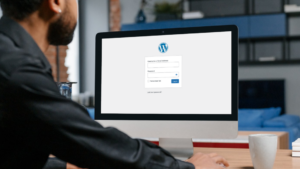
WordPress powers a large percentage of business websites for good reason. It is flexible, scalable, and supported by a huge ecosystem of themes and plugins. But it is not immune to technical problems. Over time, even well-built WordPress sites can develop errors that hurt performance, visibility, and user experience.
Broken links frustrate visitors and weaken SEO. 404 pages quietly leak traffic. 500 internal server errors can bring an entire site down without warning. Add database errors, plugin conflicts, slow loading pages, and security warnings, and small issues quickly become business problems.
This guide breaks down the most common WordPress errors, explains why they happen, and shows how to fix them properly.
If your website generates leads, sales, or enquiries, these fixes and website maintenance are not optional. They are part of keeping your digital presence reliable and profitable.
Why WordPress Errors Matter More Than You Think
Search engines expect websites to be functional, secure, and easy to navigate. Users expect pages to load quickly and links to work.
When errors pile up:
- Google crawls fewer pages
- Rankings slip without obvious warning
- Paid ads send traffic to broken pages
- Users leave before converting
- Trust drops, especially for service businesses
Research from Google shows that users are far more likely to abandon a site that feels unreliable or slow. Even minor technical issues can reduce conversion rates and increase bounce rates.
Most WordPress errors do not appear overnight. They creep in after theme updates, plugin changes, content edits, or hosting changes. Regular maintenance catches them early. Ignoring them compounds the damage.

Broken Links: The Silent SEO Killer
What Are Broken Links?
A broken link points to a page or resource that no longer exists. This includes internal links on your site and external links pointing to other websites.
Common causes include:
- Deleted pages without redirects
- Changed URLs
- Incorrect internal linking
- Removed images or PDFs
- External websites going offline
Why Broken Links Are a Problem
Broken links damage both user experience and SEO. Visitors hit dead ends. Search engines see poor site hygiene.
Over time, this can:
- Reduce crawl efficiency
- Lower page authority
- Increase bounce rates
- Undermine trust
How to Find Broken Links
The most effective methods include:
- Google Search Console crawl reports
- Dedicated link scanning tools
- Manual audits of key pages
- Ongoing monitoring through maintenance software
Automated scans catch issues faster than manual checks, especially on large sites.
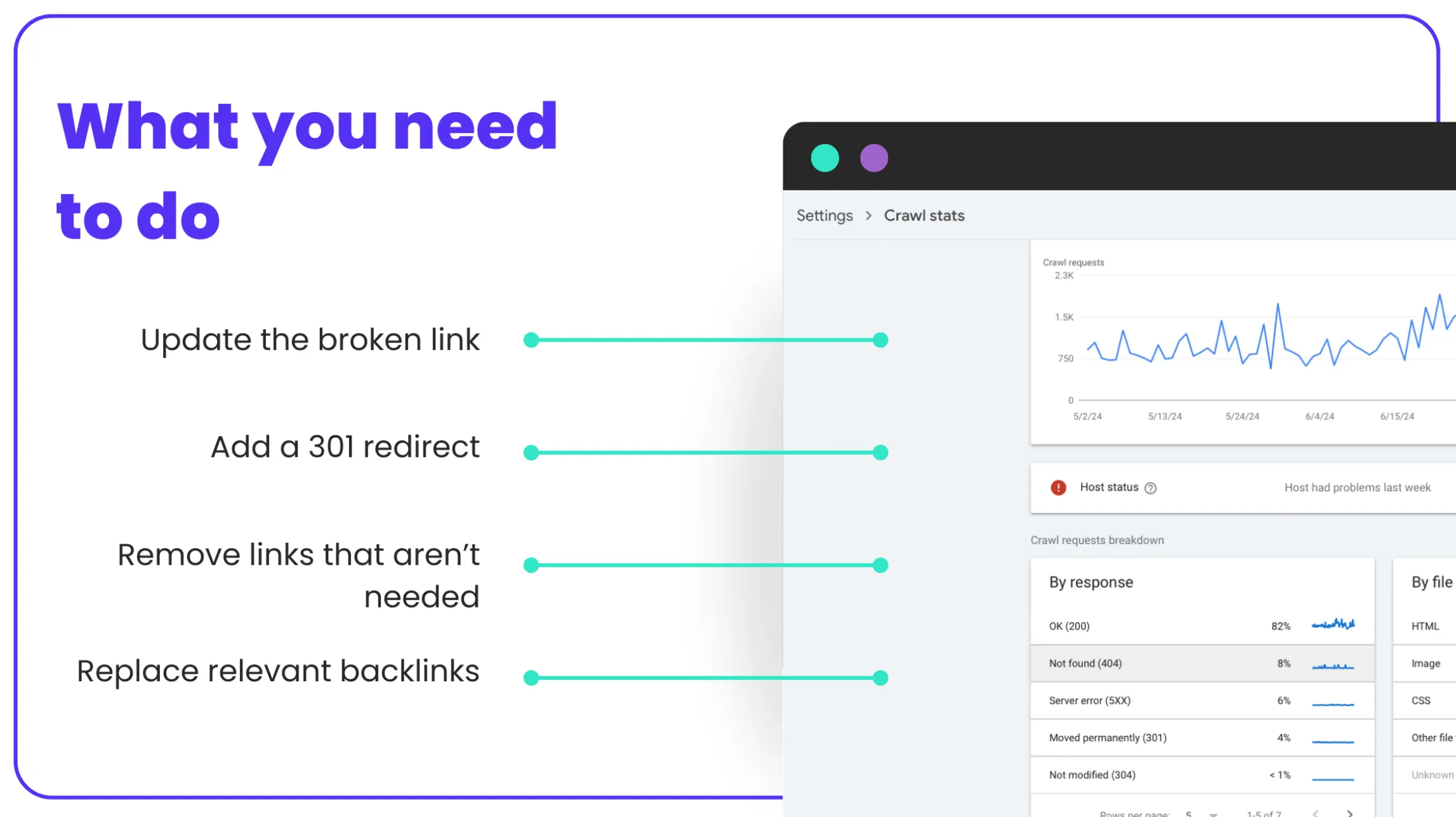
How to Fix Broken Links Properly
- Update the link if the destination exists under a new URL
- Add a 301 redirect if the page moved permanently
- Remove the link if it no longer serves a purpose
- Replace outdated external references with current sources
Avoid simply deleting links without context. Each link should either lead somewhere useful or be removed cleanly.
GET EXPERT HELP FOR ONLY $79 PER MONTH
404 Errors: When Pages Disappear Without a Trace
What Is a 404 Page Error?
A 404 error means the server cannot find the requested page. This often happens after content changes or site restructures.
Common triggers include:
- Deleted blog posts or service pages
- URL structure changes
- Typos in internal links
- Old links from external websites
Why 404 Errors Hurt Performance
While a single 404 is not fatal, multiple unresolved errors create problems:
- Lost organic traffic
- Poor crawl signals
- Frustrated visitors
- Wasted paid ad spend
Google treats repeated 404 errors as a sign of poor site maintenance.
How to Identify 404 Errors
Use:
- Google Search Console coverage reports
- Server logs
- SEO auditing tools
- Analytics behaviour flows
Focus on pages receiving traffic or inbound links first.
How to Fix 404 Pages the Right Way
- Redirect outdated URLs to relevant live pages
- Restore deleted pages if they still have value
- Improve internal linking accuracy
- Customise your 404 page with helpful navigation and CTAs
A well-designed 404 page can still guide users toward conversion rather than losing them entirely.

500 Internal Server Errors: The Most Disruptive WordPress Issue
What Causes a 500 Error?
A 500 internal server error indicates a server-side problem. It does not specify the cause, which makes diagnosis critical.
Common reasons include:
- Plugin or theme conflicts
- Corrupt .htaccess files
- PHP memory limits
- Server permission issues
- Failed updates
Why 500 Errors Are Serious
Unlike broken links or 404s, a 500 error can block access to your entire site or key pages. This directly impacts revenue, SEO, and brand trust.
How to Diagnose a 500 Error
- Check server error logs
- Disable plugins temporarily
- Switch to a default theme
- Review recent updates or changes
- Contact hosting support if needed
Guessing rarely works here. Structured troubleshooting saves time and avoids further damage.
How to Fix 500 Errors Safely
- Restore recent backups
- Update or remove faulty plugins
- Increase PHP memory limits
- Repair corrupted files
- Ensure server compatibility with WordPress updates
For live business sites, downtime should be minimised. This is where professional maintenance matters.

Database Connection Errors
What They Are
The “Error Establishing a Database Connection” message means WordPress cannot communicate with its database.
Common Causes
- Incorrect database credentials
- Corrupt database tables
- Hosting outages
- Overloaded servers
Fixing Database Errors
- Verify wp-config.php credentials
- Repair the database using WordPress tools
- Restore from backup if corruption exists
- Check hosting server health
Database errors often signal deeper hosting or performance issues.
Plugin and Theme Conflicts
Why They Happen
WordPress plugins and themes update frequently. Not all updates play nicely together.
Conflicts can cause:
- White screens
- Layout breaks
- JavaScript errors
- Slow performance
How to Identify Conflicts
- Disable plugins one by one
- Review error logs
- Test changes in a staging environment
- Monitor after updates
Best Practice Fix
- Remove unused plugins
- Keep themes and plugins updated
- Use well-supported extensions only
- Test updates before pushing live
More plugins do not equal more functionality. They often equal more problems.

Memory Limit and Performance Errors
Symptoms to Watch For
- Pages timing out
- Admin dashboard lag
- Failed updates
- Random errors during peak traffic
Why This Happens
Shared hosting plans and poorly optimised sites hit memory limits quickly, especially as content grows.
How to Fix Performance Errors
- Increase PHP memory limits
- Optimise images and media
- Use proper caching
- Upgrade hosting if required
Performance directly affects rankings and conversion rates. It is not optional.
Security-Related Errors and Warnings
Common Issues
- Malware injections
- Suspicious redirects
- Blocked admin access
- Browser security warnings
Why Security Errors Hurt Business
Security warnings destroy trust instantly. Even a temporary issue can cause lasting damage.
Fixing Security Problems
- Scan and remove malware
- Update WordPress core and plugins
- Change compromised credentials
- Implement firewall protection
- Schedule ongoing security monitoring
Security is not a one-off task. It requires continuous attention.
GET EXPERT HELP FOR ONLY $79 PER MONTH
Keeping WordPress Error-Free Long Term
Fixing errors once is not enough. Websites evolve constantly. New content, updates, and integrations introduce new risks.
Ongoing website maintenance includes:
- Regular backups
- Core, plugin, and theme updates
- Error monitoring
- Performance optimisation
- Security hardening
- Technical SEO health checks
This proactive approach prevents small issues from turning into expensive emergencies.

When to Get Professional WordPress Support
Many WordPress errors appear simple on the surface but have deeper technical causes. Trial-and-error fixes can:
- Break functionality
- Cause data loss
- Extend downtime
- Increase long-term costs
Professional maintenance ensures:
- Issues are diagnosed correctly
- Fixes are applied safely
- SEO and performance are protected
- Your website supports your marketing investment
Businesses running Google Ads, SEO campaigns, or lead generation funnels should never leave site health to chance.
GET EXPERT HELP FOR ONLY $79 PER MONTH
Fix the Problem Before It Costs You
WordPress errors rarely announce themselves loudly. They quietly undermine performance, rankings, and conversions until results drop.
Broken links, 404 pages, and 500 internal server errors are not just technical glitches. They are business risks.
With structured monitoring, proper fixes, and ongoing maintenance, most issues can be prevented entirely. That is the difference between reacting to problems and running a website that works as hard as your marketing does.
If your site plays a role in lead generation, sales, or brand credibility, investing in professional WordPress maintenance is not an expense. It is protection for your growth.
FAQs
How do I know if my WordPress website has hidden errors?
Many WordPress errors are not visible on the surface. Broken links, crawl errors, slow scripts, and server issues often sit quietly in the background. Tools like Google Search Console and server logs reveal these problems but interpreting them takes experience. Digital Freak audits websites regularly to catch issues early, protect rankings, and prevent lost leads. Book a free strategy call to uncover what is really happening behind the scenes.
Are broken links really that bad for SEO?
Yes. Broken links disrupt crawl paths, waste link equity, and frustrate users. Over time, they weaken SEO performance and reduce trust in your site. Google expects well maintained internal linking structures, especially on business websites running ads. Our website maintenance service fixes broken links, adds smart redirects, and improves site structure so your traffic keeps flowing. Book a free strategy call to protect your visibility.
How often should WordPress maintenance be done?
Website maintenance should be ongoing, not occasional. WordPress core updates, plugin changes, security patches, and performance checks are required monthly at minimum. High traffic or lead driven sites often need weekly oversight. Our maintenance plans are designed for business websites that rely on consistent performance. Book a free strategy call to choose the right level of support.
Will website errors affect my Google Ads performance?
Absolutely. Sending paid traffic to broken pages, slow loading sites, or error screens wastes budget and lowers conversion rates. Google also factors landing page experience into ad quality scores. Digital Freak aligns website maintenance with paid advertising, so your campaigns deliver better results. Book a free strategy call to protect your ad spend.

When clients work with me, they get exactly what they want - no-nonsense, authentic digital marketing that works! With my industry experience, eye for detail, and a team that goes the extra mile, every client gets the personalised, expert treatment they deserve. Let’s get you online – and growing!