




A slow WordPress website is more than a frustration. It costs attention, credibility, and conversions. Visitors expect pages to load quickly, especially on mobile. Search engines expect the same. When a site drags, people leave before they read, click, or enquire.
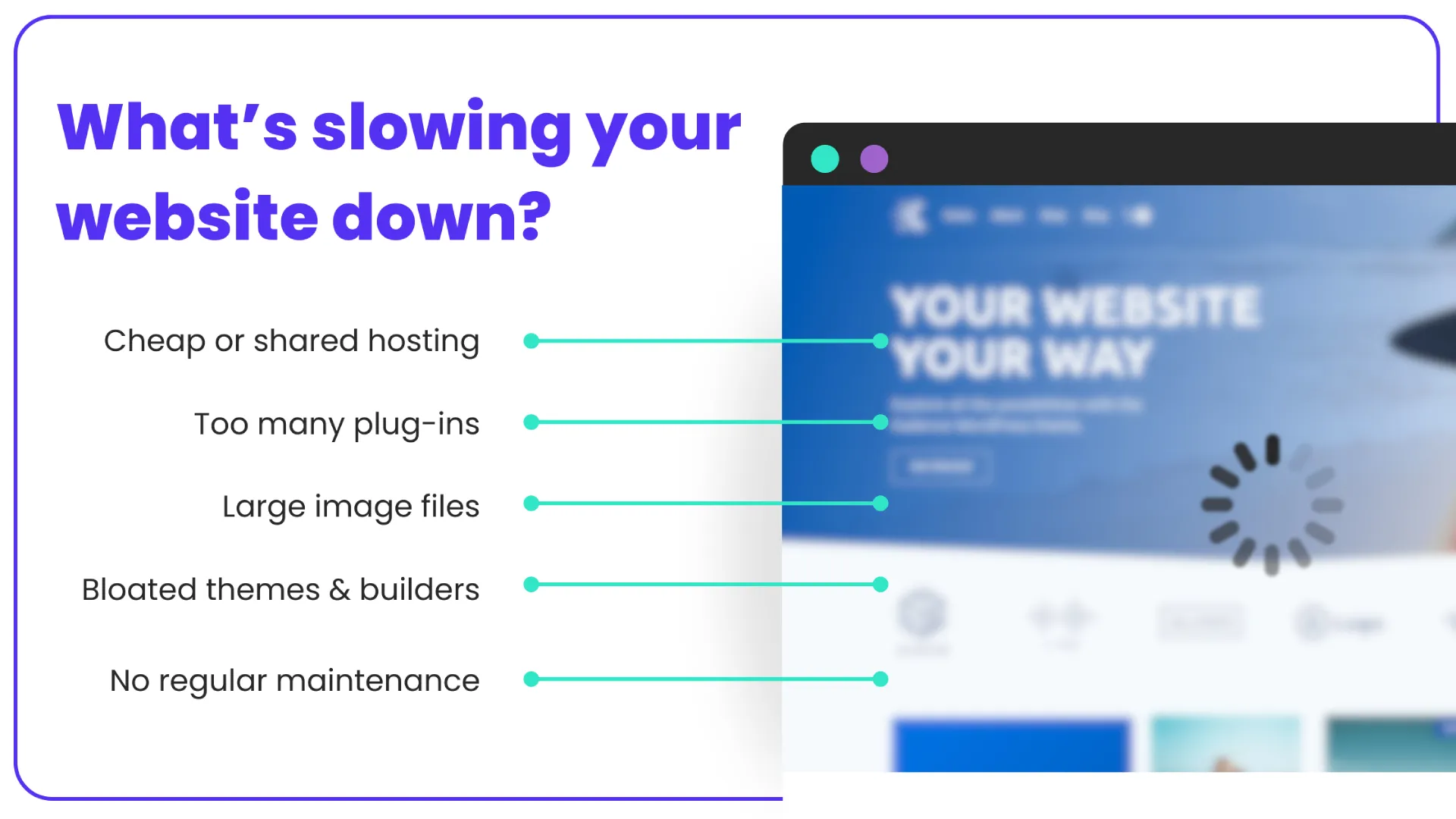
The good news is that most WordPress performance issues are fixable. In many cases, they come down to a small number of repeat problems. Poor hosting. Bloated themes. Too many plugins. Large images. No ongoing maintenance.
This guide breaks down why WordPress sites slow down, how to diagnose the real cause, and what actually works to speed things up. It is written for business owners, marketers, and anyone responsible for keeping a site performing properly.
Why WordPress websites slow down over time
WordPress does not usually start out slow. Performance problems tend to creep in as a site grows.
Common reasons include:
- Adding plugins without reviewing their impact
- Uploading large images straight from a phone or camera
- Running on low quality or shared hosting
- Skipping updates and maintenance
- Using page builders or themes that load excessive scripts
- Not setting up caching or optimisation tools correctly
Each of these on its own may only add a small delay. Combined, they can double or triple load times.
Slow performance is often a symptom, not a single fault. Fixing it requires looking at the whole setup rather than chasing one setting.

Why site speed matters for real results
Speed affects how people experience your brand. It also affects how platforms evaluate your site.
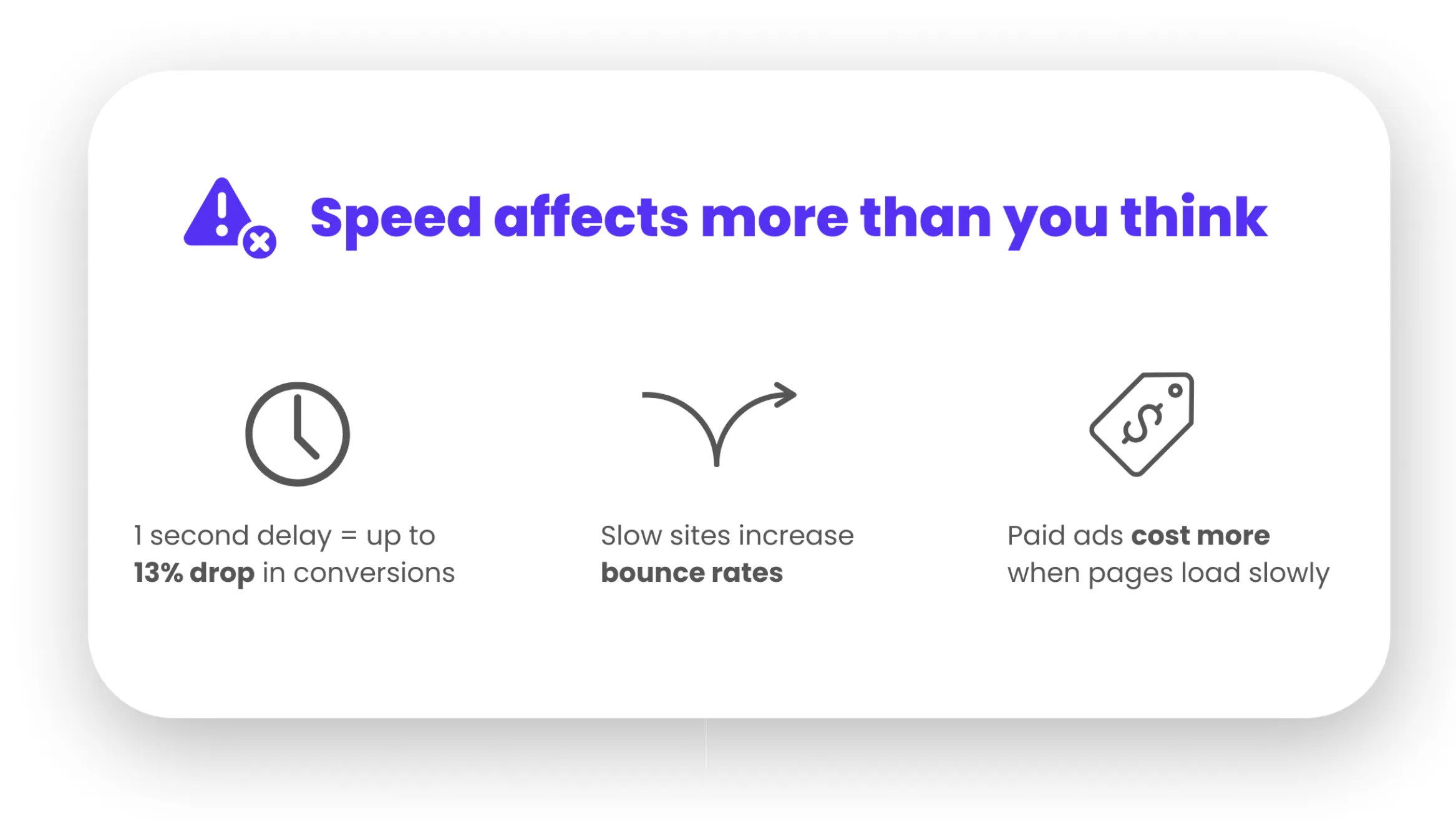
From a user perspective, delays create friction. Studies consistently show that even a one second delay can reduce engagement and conversions by 13% or more. On mobile connections, the impact is even stronger.
From a search perspective, Google uses page speed and Core Web Vitals as ranking signals. A slow site does not just frustrate users. It can struggle to compete in search results.
Speed also affects paid traffic. If you are running Google Ads or social ads, slow landing pages increase bounce rates and drive up cost per lead.
In short, performance influences visibility, trust, and revenue.
GET EXPERT HELP FOR ONLY $79 PER MONTH
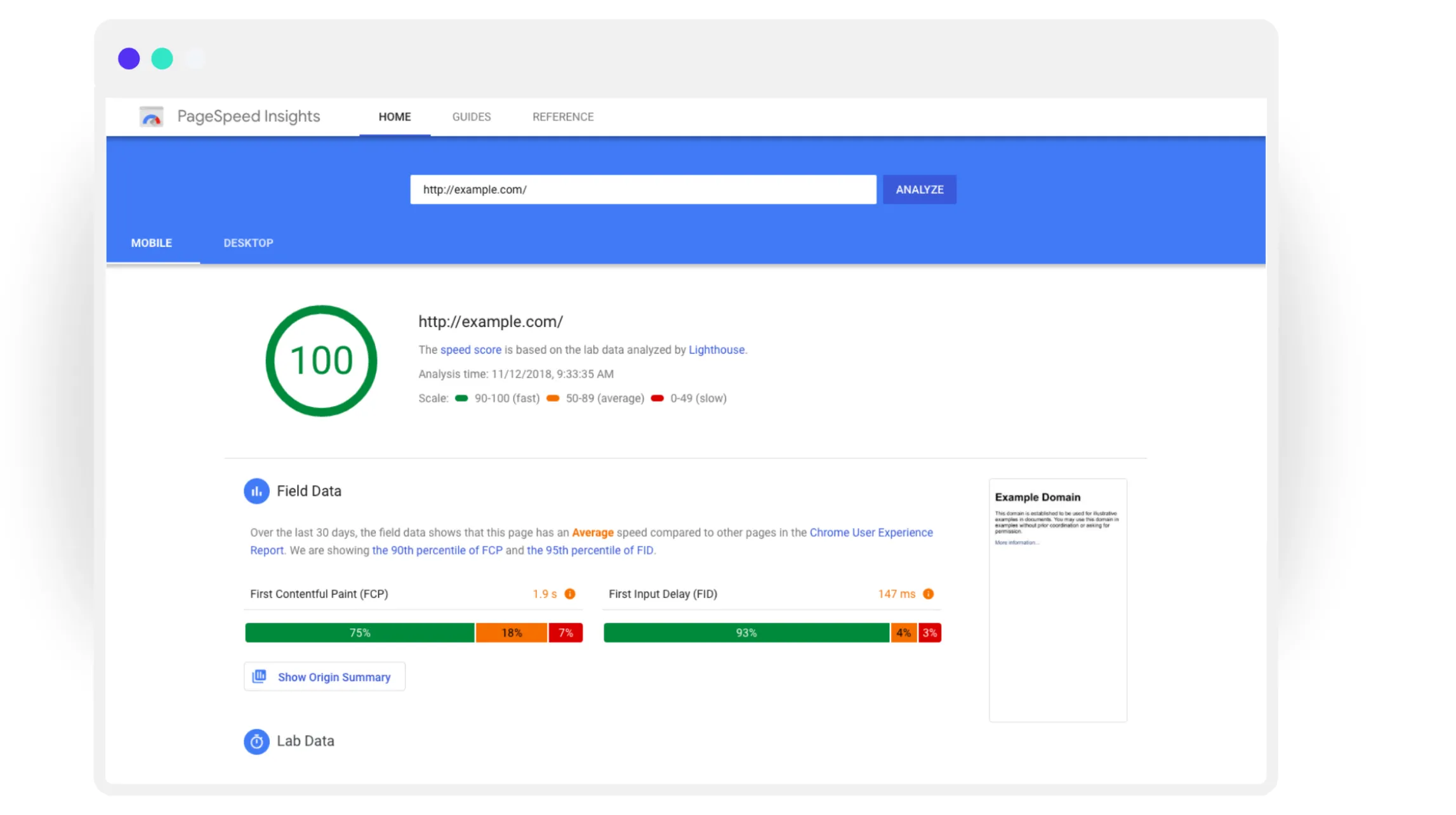
Step one: measure what is actually slow
Before fixing anything, you need clear data.
Use a combination of tools rather than relying on one score:
- Google PageSpeed Insights for Core Web Vitals
- GTmetrix for load breakdown and waterfall charts
- WebPageTest for real world loading behaviour
Focus on real metrics, not vanity scores. Time to first byte, largest contentful paint, and total page load time are more useful than chasing a perfect grade.
Also test key pages, not just the homepage. Service pages, landing pages, and blog posts often perform very differently.
Hosting: the foundation most sites get wrong
Hosting quality has a huge impact on WordPress performance. Many slow sites are running on cheap shared hosting that cannot handle modern demands.
Warning signs include:
- Slow admin area
- Frequent downtime or timeouts
- Poor support response times
- Limited server resources
Good WordPress hosting provides:
- Modern server infrastructure
- Proper caching at the server level
- Fast database performance
- Security and backups included
If your site loads slowly even before adding plugins or images, hosting is often the culprit. No amount of front end optimisation will fully fix a weak foundation.
Themes and page builders: less really is more
Some WordPress themes look impressive but load an enormous amount of code. Animations, sliders, fonts, and scripts all add weight.
Page builders can also slow things down if used without restraint. Drag and drop layouts often generate complex markup and inline styling.
To improve performance:
- Choose lightweight, well maintained themes
- Avoid themes packed with features you do not use
- Limit heavy animations and effects
- Reuse layout components instead of creating unique ones for every page
A clean structure loads faster and is easier to maintain long term.

Plugins: quality over quantity
Plugins are one of WordPress’s strengths, but they are also a common source of performance issues.
Each plugin adds code. Some add scripts on every page, even when not needed.
Practical steps:
- Audit your plugins regularly
- Remove anything you are not actively using
- Avoid overlapping functionality
- Replace multiple plugins with one well-built solution where possible
Pay particular attention to plugins for sliders, popups, forms, analytics, and social feeds. These often load external scripts that slow pages down.
Images: the biggest and easiest win
Unoptimised images are one of the most common causes of slow loading pages.
Problems include:
- Uploading images at full resolution
- Using PNGs where JPEG or WebP would be better
- No compression
- No lazy loading
Fixing image issues can dramatically reduce load times without changing design.
Best practices include:
- Resize images before upload
- Compress images automatically
- Use modern formats where supported
- Enable lazy loading for below the fold images
This is one of the fastest ways to improve speed and user experience at the same time.
Caching and optimisation done properly
Caching reduces the work your server has to do for each visitor. Without it, WordPress rebuilds every page request from scratch.
Effective caching includes:
- Page caching
- Browser caching
- Database optimisation
- Minifying CSS and JavaScript
The key is configuration. Poorly set up caching can break layouts or cause display issues. This is why many sites have caching plugins installed but still run slowly.
Optimisation should be tested carefully on staging before being pushed live.
Core Web Vitals and real user experience
Google’s Core Web Vitals focus on how pages feel to users, not just how fast they technically load.
Key areas include:
- How quickly the main content appears
- How stable the layout is while loading
- How responsive the page feels to interaction
Improving these metrics often involves:
- Reducing large layout shifts
- Avoiding late loading fonts and images
- Optimising hero sections and above the fold content
Speed improvements should always be measured against actual user experience, not just lab tests.
The hidden cost of skipped maintenance
Many WordPress sites slow down because web maintenance is ignored.
Outdated plugins, themes, and WordPress core files can cause:
- Compatibility issues
- Performance degradation
- Security vulnerabilities
- Increased error rates
Regular maintenance keeps performance stable over time. It also prevents small issues from turning into expensive rebuilds later.
Maintenance is not just updates. It includes backups, monitoring, security checks, and performance reviews.
GET EXPERT HELP FOR ONLY $79 PER MONTH
When DIY fixes are not enough
Some performance problems are structural. Others are the result of years of quick fixes layered on top of each other.
If you have tried plugins, image optimisation, and basic fixes without success, the issue may require deeper technical work.
This can include:
- Database optimisation and cleanup
- Server level configuration
- Code review and refactoring
- Theme or builder restructuring
At this point, working with specialists saves time and prevents further damage.
A smarter approach to long term performance
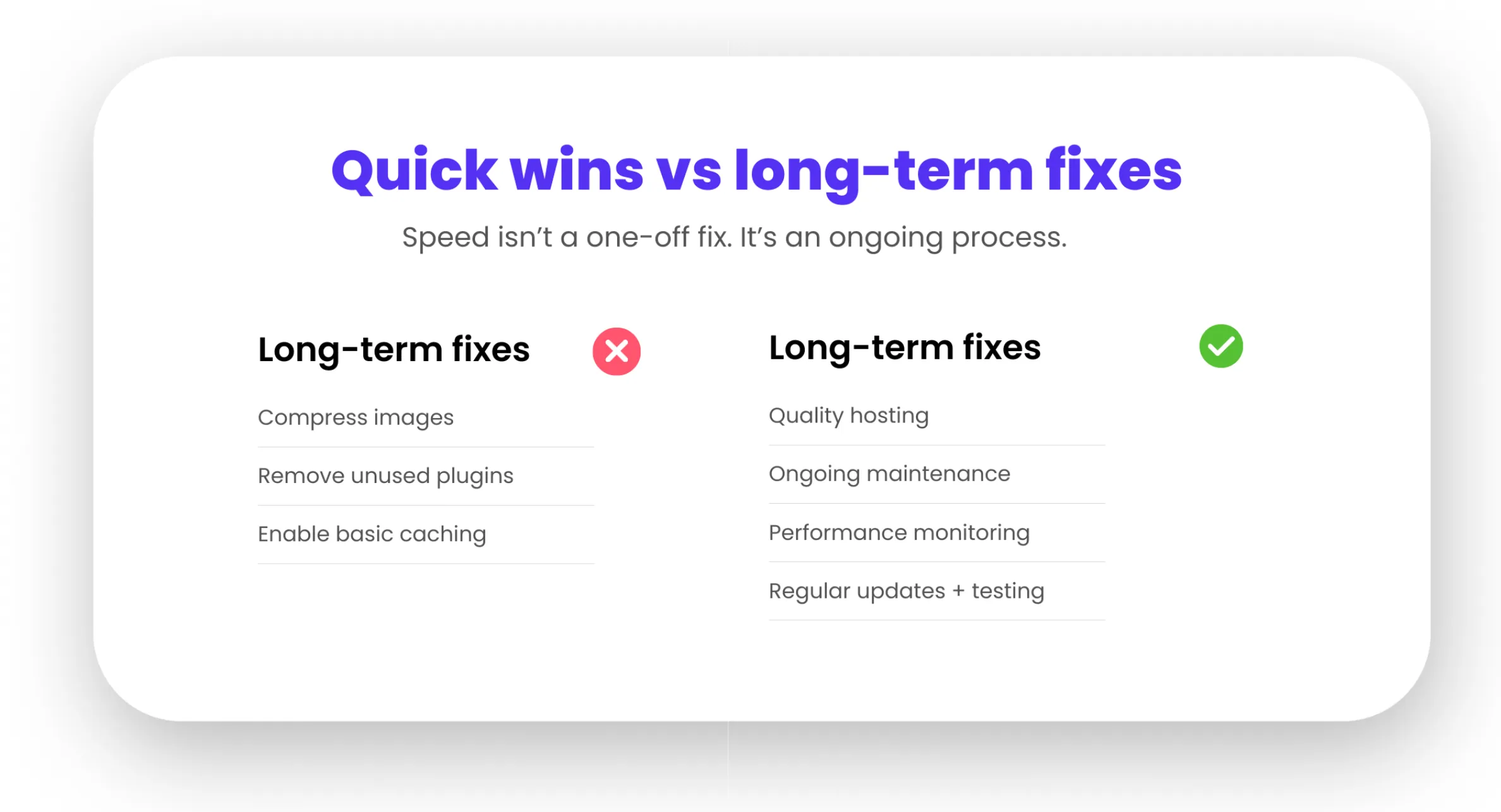
Fast websites are not built through one off fixes. They are maintained through ongoing care.
A strong performance strategy includes:
- Quality hosting
- Clean design and development
- Controlled plugin use
- Regular maintenance and monitoring
- Performance testing as part of updates
This approach keeps your site fast as your business grows, rather than reacting once it becomes a problem.
How Digital Freak helps keep WordPress sites fast
At Digital Freak, website performance is treated as a core business issue, not a technical afterthought.
Our website maintenance and performance services focus on:
- Proactive monitoring and optimisation
- Secure, stable updates
- Speed improvements aligned with SEO and conversion goals
- Ongoing care rather than one off fixes
For small businesses, this removes the guesswork and risk. Your site stays fast, secure, and reliable while you focus on running the business.
A slow WordPress site is rarely unsolvable. With the right approach, it becomes an opportunity to improve user experience, search visibility, and results.
If your website feels sluggish or unpredictable, it is usually telling you something. Listening early and fixing it properly pays off long term.
GET EXPERT HELP FOR ONLY $79 PER MONTH

FAQs
Does website speed really affect SEO and Google rankings?
Website speed directly affects SEO, particularly through Core Web Vitals. Slow load times increase bounce rates and reduce engagement, which search engines measure. Faster sites generally perform better in search and convert more traffic. Digital Freak aligns performance improvements with SEO goals, so speed gains translate into results. Book a free strategy call to see how performance fits into your broader search strategy.
Is cheap hosting the reason my WordPress site is slow?
In many cases, yes. Low cost shared hosting often struggles with modern WordPress demands. This leads to slow load times, timeouts, and poor reliability. No amount of front end optimisation fully fixes weak hosting. Digital Freak helps businesses move to hosting that supports speed, security, and growth. Book a free strategy call to assess whether your hosting is helping or hurting your site.
How often should a WordPress site be maintained for speed?
WordPress sites should be maintained continuously, not occasionally. Updates, performance checks, backups, and optimisation should happen regularly to prevent gradual slowdowns. Skipping maintenance allows small issues to compound. Digital Freak provides ongoing website maintenance, so speed and security stay consistent. Book a free web maintenance strategy call to understand what proper maintenance looks like for your site.
Why does my website slow down over time even if nothing changes?
Websites rarely stay static. Updates, new content, plugin changes, and external scripts all add weight over time. Without monitoring, performance gradually declines. Digital Freak takes a proactive approach to keep sites fast as they grow. Book a free strategy call to put long term performance measures in place.

When clients work with me, they get exactly what they want - no-nonsense, authentic digital marketing that works! With my industry experience, eye for detail, and a team that goes the extra mile, every client gets the personalised, expert treatment they deserve. Let’s get you online – and growing!
