
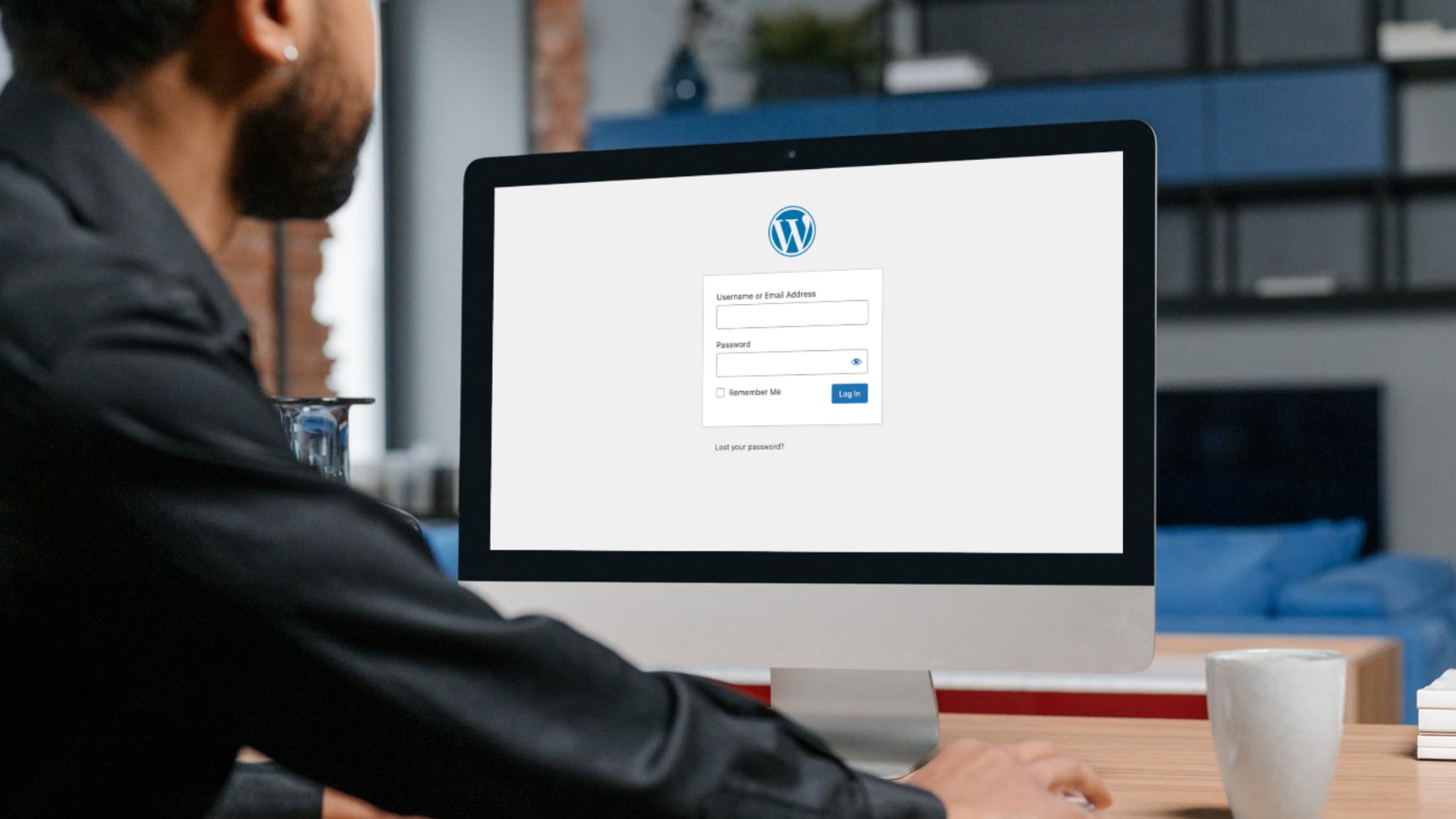
If you run a WordPress website, chances are you already have a security plugin installed. Maybe more than one. You may have set up a firewall, enabled login limits, and ticked a few boxes that promised protection.
So the question is fair. Are WordPress security plugins actually enough to protect your website?
The short answer is no. They help, but they are only one part of a much bigger picture. Relying on plugins alone leaves gaps that attackers know how to exploit, especially as websites grow, plugins age, and traffic increases.
So, here’s what security plugins do well, where they fall short, and why proper website maintenance matters if you want consistent protection, uptime, and peace of mind.
Why WordPress Websites Are Targeted
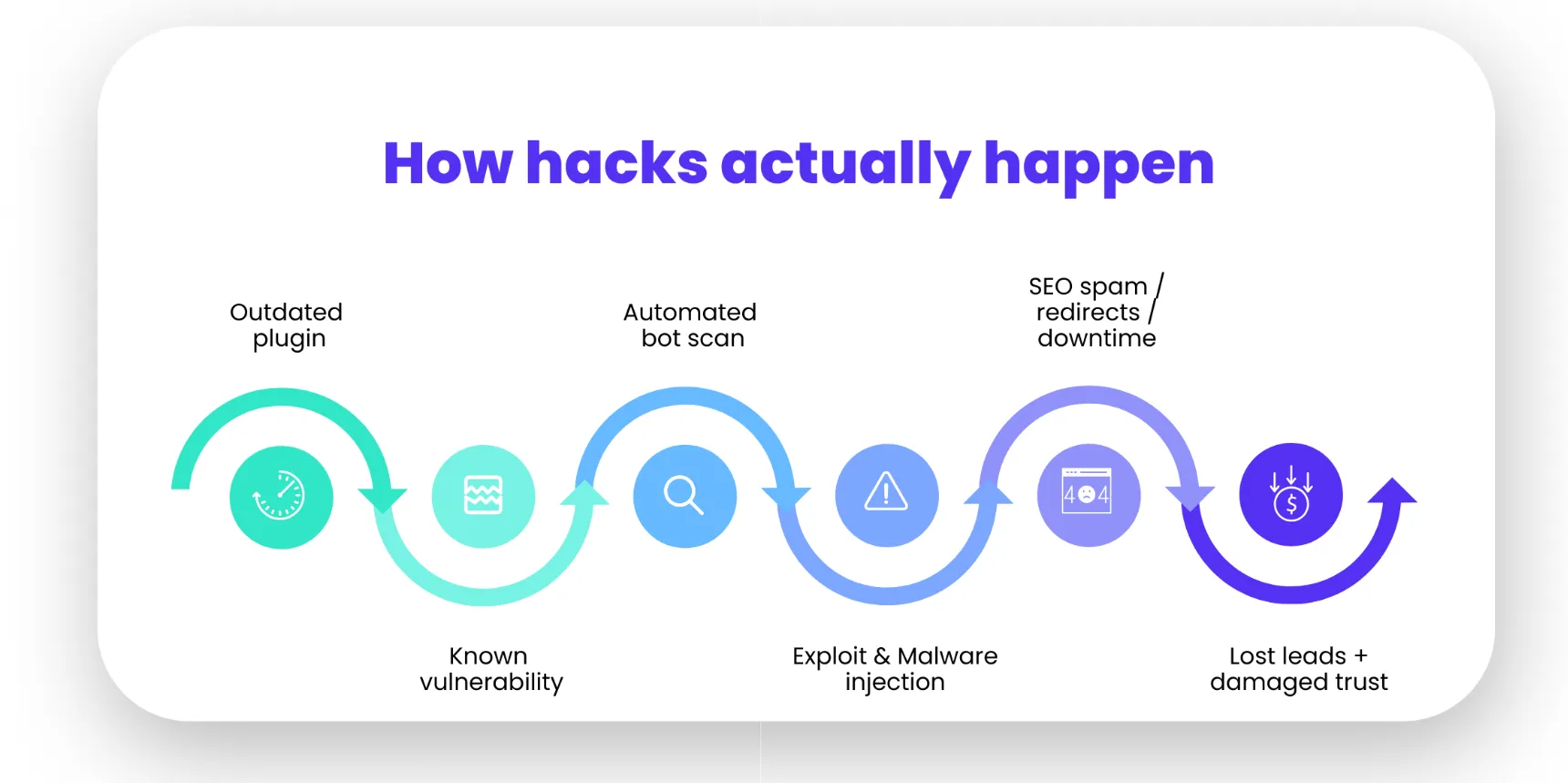
WordPress powers more than 43% of the web. That popularity makes it an attractive target. Hackers do not usually go after individual businesses. They scan the internet for known weaknesses and automate attacks at scale.
Common entry points include:
- Outdated plugins or themes
- Weak or reused passwords
- Insecure hosting environments
- Missing updates
- Poor file permissions
Most attacks are not personal. They are opportunistic. If your site shows signs of neglect, it becomes an easy target.
Security plugins try to reduce this risk, but they cannot solve every underlying issue.
What WordPress Security Plugins Actually Do
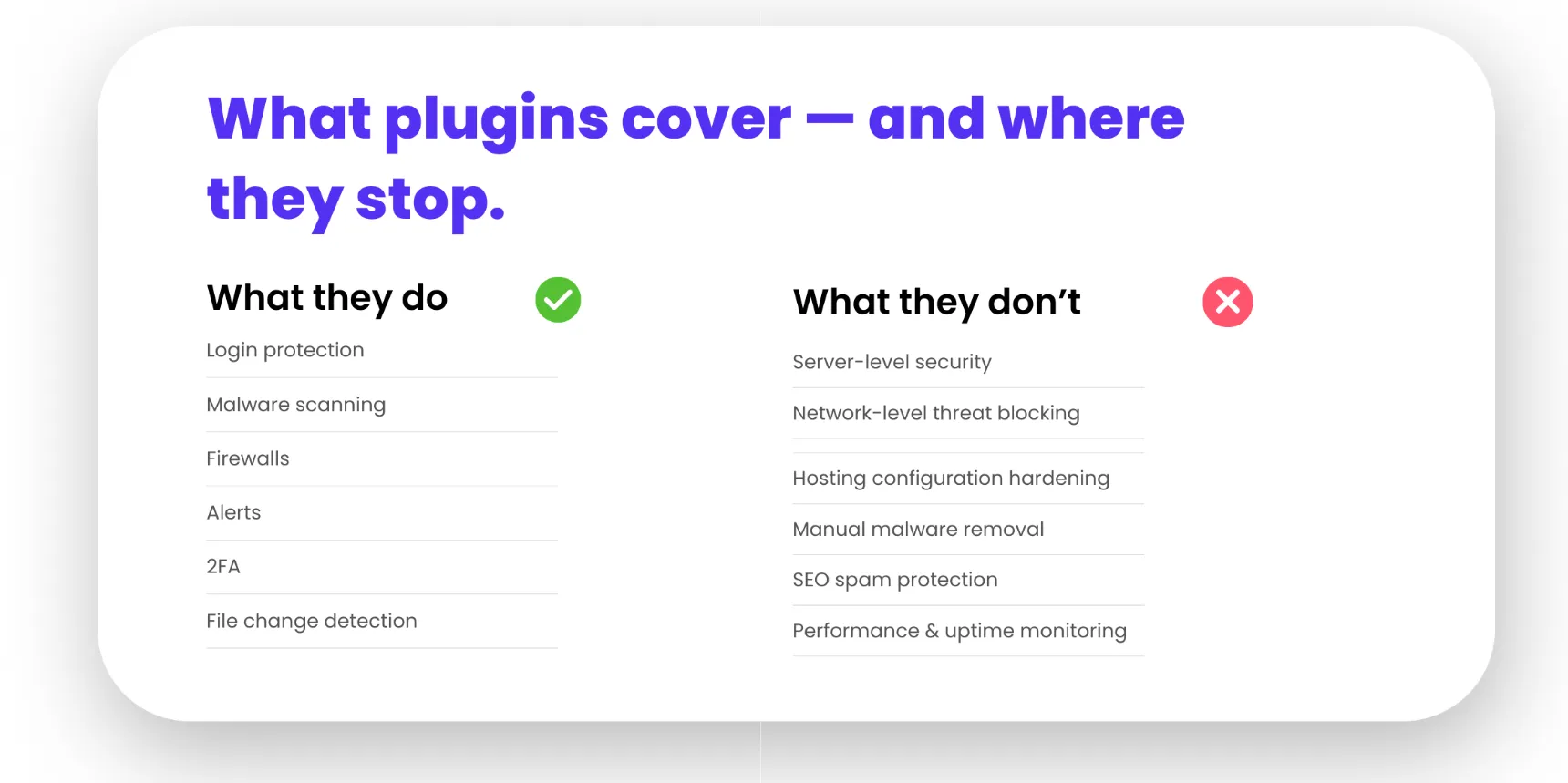
Security plugins focus on prevention and alerts. They work inside your WordPress installation and monitor activity at the application level.
Most reputable plugins offer features such as:
- Login attempt limits
- Basic firewalls
- Malware scanning
- File change detection
- Security notifications
- Two-factor authentication
These tools are useful. They raise the bar and block a large number of basic attacks. For small sites with low traffic, they can significantly reduce risk when configured properly.
The problem is not what plugins do. The problem is what they cannot do.
The Limits of Plugin-Only Protection
Security plugins operate within WordPress. That means they only see part of what is happening.
Here is where plugin-only security breaks down.
Plugins Do Not Replace Server-Level Security
Your website does not live in isolation. It runs on a server with PHP, databases, file systems, and hosting configurations.
Security plugins cannot:
- Harden server settings
- Monitor system-level processes
- Detect attacks before WordPress loads
- Block network-level threats
- Fix insecure hosting configurations
If your hosting environment is poorly configured, a plugin cannot compensate for it.
Plugins Depend on Being Updated
Security plugins need updates just like everything else. If updates stop, the plugin itself can become a vulnerability.
This happens more often than people realise. Sites fall behind. Updates get skipped. Compatibility issues delay upgrades. Suddenly the very tool meant to protect the site becomes outdated.
Managed website care ensures updates happen safely, consistently, and with testing.
Plugins Do Not Prevent All Malware Infections
Many malware infections occur through vulnerable plugins or themes. A security plugin may detect the issue after the damage is done, but detection is not prevention.
Some malware hides itself, reinfects files, or spreads beyond WordPress core files. Cleaning this properly requires experience, access, and sometimes manual intervention.
Plugins can flag issues. They cannot always fix them.
False Positives and Alert Fatigue
Security plugins often generate alerts. Lots of them.
For business owners, this becomes noise. Emails get ignored. Warnings pile up. Important alerts blend in with routine messages.
Managed website maintenance filters signal from noise. Issues get prioritised, investigated, and resolved, not just reported.
The Hidden Risks Most Site Owners Miss
Security is not just about stopping hackers. It is also about protecting your business reputation, SEO, and performance.
Here are risks that plugins rarely address properly.
SEO Damage from Hacks
A compromised site can inject spam pages, redirect visitors, or distribute malicious scripts. Google may flag the site, drop rankings, or show security warnings in search results.
Recovering SEO trust takes time. In some cases, months.
Security plugins may alert you, but proactive monitoring and fast response reduce damage before it escalates.
Downtime and Lost Leads
A hacked site can go offline without warning. For businesses running ads, this means paid traffic hitting a broken or unsafe website.
That is wasted budget and lost leads.
Ongoing website maintenance focuses on uptime, performance, and fast recovery if something goes wrong.
Compatibility Breaks from Security Updates
Security patches sometimes conflict with themes or custom functionality. This causes errors, layout issues, or broken forms.
Without testing, even well-intentioned updates can hurt conversions.
Managed care includes staging environments, backups, and rollback plans.
What High-Quality WordPress Security Actually Looks Like
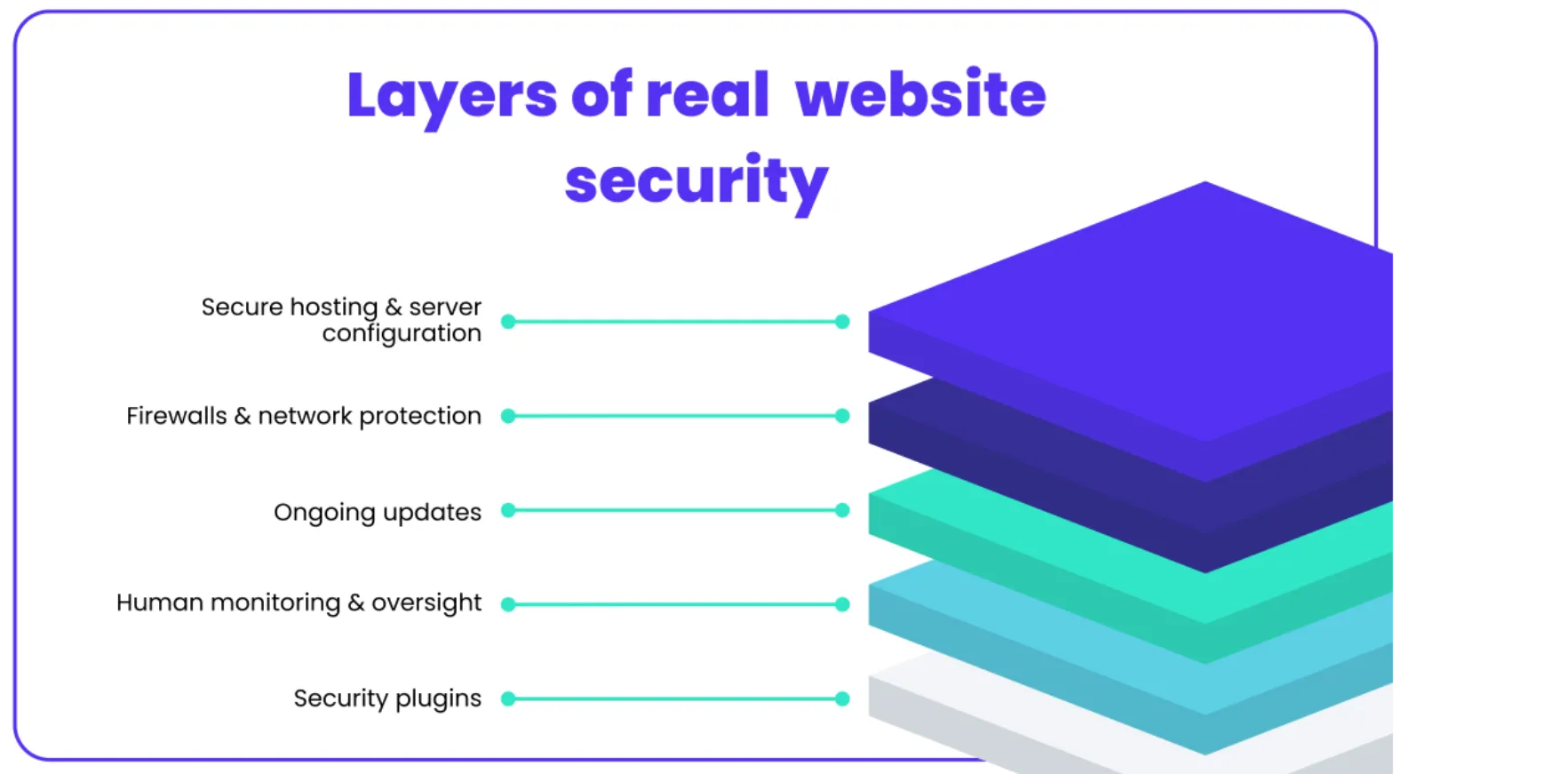
Effective WordPress security is layered. No single tool does everything.
A strong setup includes:
- Secure, well-configured hosting
- Server-level firewalls and monitoring
- Regular WordPress core, plugin, and theme updates
- Daily offsite backups
- Malware scanning and manual inspections
- Access control and user management
- Performance monitoring
- Incident response plans
Security plugins support this system. They do not replace it.
Why Website Maintenance Matters More Than Ever
WordPress maintenance is not glamorous, but it is critical.
A maintained website stays secure because issues are addressed before they become problems. Vulnerabilities are patched quickly. Changes are tested. Backups exist when needed.
Without maintenance, even the best plugins lose effectiveness over time.
Security is not a one-off setup. It is an ongoing process.
The Role of Managed WordPress Care
Managed WordPress care shifts responsibility from plugins to people. It combines tools, experience, and process.
Instead of asking “Which plugin should I install?”, the better question becomes “Who is actively looking after my website?”
With managed care, you get:
- Ongoing monitoring rather than reactive alerts
- Human oversight instead of automated guesses
- Proactive updates instead of delayed fixes
- Support when things break, not just warnings
For businesses running Google Ads, SEO campaigns, or lead-driven websites, this level of care protects both traffic and revenue.
When Plugins Are Enough and When They Are Not
Security plugins are not useless. In the right context, they can provide a reasonable level of protection. The key is understanding what kind of website you are running and what is at stake if something goes wrong.
There are situations where plugins may be sufficient.
If your site is a low-traffic personal blog, the risk profile is very different. These sites usually attract limited attention, hold no sensitive information, and are not tied directly to revenue. A security plugin that limits login attempts, runs basic scans, and sends alerts can be enough when combined with good habits such as strong passwords, regular updates, and secure hosting.
The same applies if your site does not collect user data, is not running paid advertising, and is not relied on for daily business operations. In these cases, the impact of downtime or a minor issue is usually low. You may notice a problem, fix it, and move on without serious consequences.
For websites like this, a well-configured security plugin plus consistent housekeeping can be adequate.
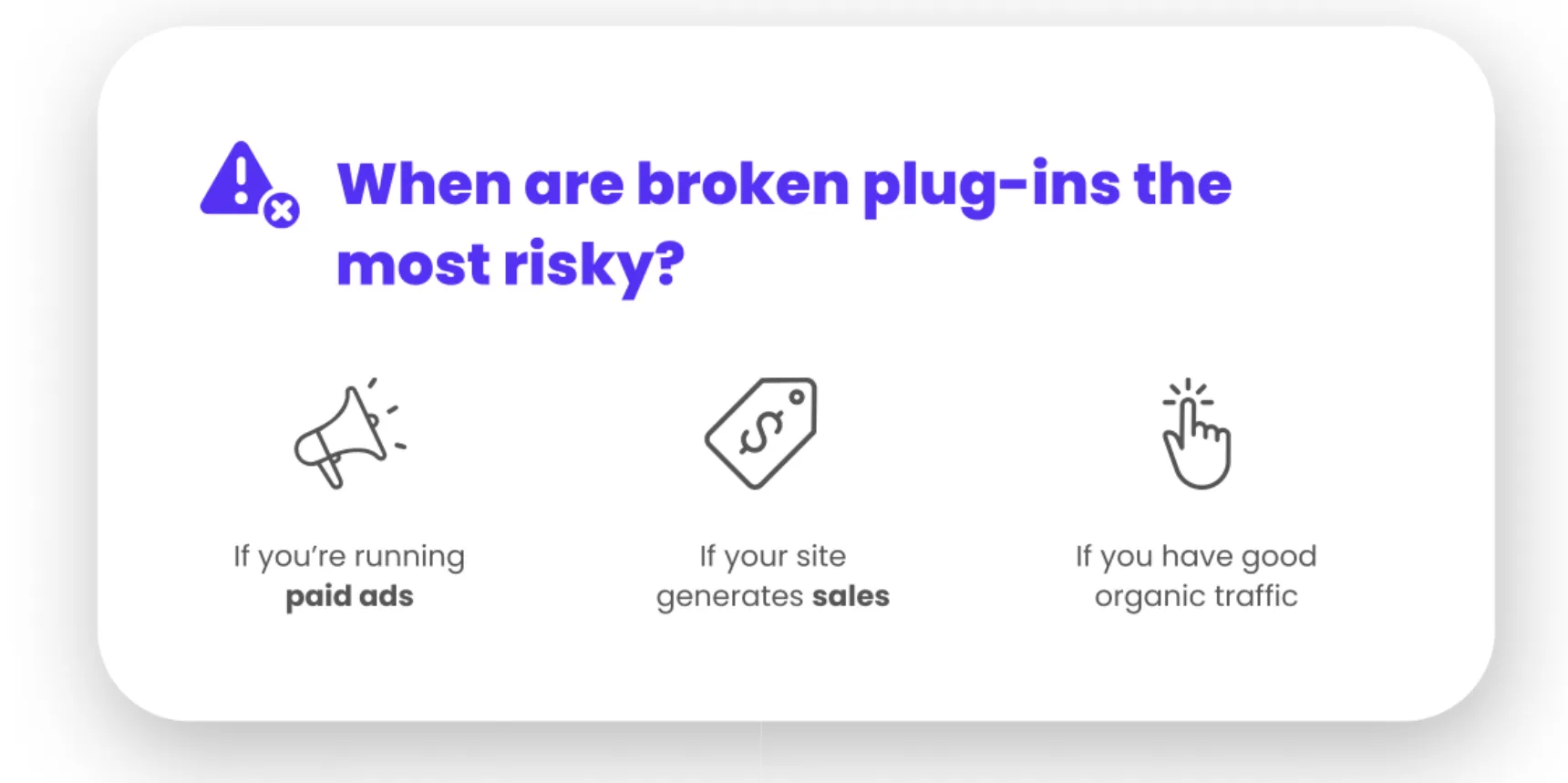
The situation changes as soon as your website plays a commercial role.
If your site is a business website, it carries your brand, credibility, and reputation. Visitors expect it to be secure, fast, and reliable. A single warning message, broken page, or security alert can undermine trust immediately.
If you are running paid ads, the stakes rise further. Traffic arrives whether the site is healthy or not. If a form breaks, a page loads slowly, or a security issue triggers a browser warning, you lose leads while still paying for clicks. Plugins do not monitor campaign performance or check conversion paths after updates.
If your website generates leads or sales, plugin-only security becomes a risk. Revenue-driving sites need more than alerts. They need active monitoring, tested updates, and fast intervention when something changes. Waiting for a notification email after a problem has already affected users is often too late.
The same applies if your website represents your brand in a competitive market. A compromised site can be defaced, injected with spam, or flagged by search engines. Recovery takes time and can affect visibility, enquiries, and customer confidence long after the issue is fixed.
In these scenarios, security plugins should be viewed as support tools, not a complete solution. They assist with protection, but they do not replace ongoing maintenance, human oversight, or responsibility.
The cost of a breach is rarely limited to fixing files. It includes lost leads, wasted ad spend, SEO damage, downtime, and reputational impact. In most cases, this cost exceeds the investment required for proper website maintenance that prevents issues in the first place.
How Digital Freak Approaches Website Security and Maintenance
At Digital Freak, website maintenance is not just about updates. It is about keeping your website stable, secure, and performing as it should.
Our approach focuses on:
- Proactive WordPress updates with testing
- Ongoing security monitoring
- Reliable backups and fast recovery
- Performance checks and issue resolution
- Clear reporting without technical overload
This is especially important for businesses running Google Ads. Your website needs to be ready when traffic arrives. Security failures do not just risk data. They waste marketing spend.
If your website matters to your business, it deserves more than a plugin checklist
FAQs
Are free WordPress security plugins safe to use?
Free security plugins can improve basic protection, especially for login security and malware alerts. However, they often lack advanced features, server-level protection, and active monitoring. For business websites, free tools should be viewed as a starting point, not a complete solution. A managed website maintenance service adds proactive updates, backups, and expert oversight. Book a free strategy call to assess your current setup.
Do I still need a security plugin if I have managed website maintenance?
Yes, but it becomes part of a wider security system. Security plugins work best when supported by ongoing maintenance, hosting hardening, and monitoring. Managed care ensures plugins are configured correctly, kept updated, and supported by human oversight. This layered approach reduces risk and keeps your website stable. Speak to Digital Freak about maintenance plans tailored to your site.
Can a security plugin stop all hacking attempts?
No plugin can stop every attack. Many threats occur at the server or network level, outside WordPress itself. Plugins reduce risk but cannot guarantee protection. Ongoing website maintenance closes more gaps by combining updates, monitoring, and response. If your site drives leads or sales, relying on plugins alone is risky. Get a free strategy call with our team.
What happens if my site gets hacked despite having a plugin?
Most plugins will alert you after the breach, not prevent it entirely. Cleaning a hacked site often requires manual work, file inspections, and sometimes server access. Without maintenance support, recovery can be slow and incomplete. Digital Freak provides website maintenance that focuses on prevention and fast response when issues arise. Book a free web maintenance strategy call today.
How often should WordPress security be reviewed?
Security should be reviewed continuously. WordPress updates, plugin changes, and new vulnerabilities appear every week. A monthly or quarterly check is not enough for active business sites. Managed website maintenance provides ongoing review, updates, and monitoring so problems are addressed early. Book your free strategy call today.

When clients work with me, they get exactly what they want - no-nonsense, authentic digital marketing that works! With my industry experience, eye for detail, and a team that goes the extra mile, every client gets the personalised, expert treatment they deserve. Let’s get you online – and growing!